Text-to-animation
Describe a scene from scratch with its characters, action, art direction, camera movement, lighting, and timing.
The AI animation generator turns text or a still image into an animated clip, from polished 3D cartoons to tactile clay, felt, puppet, pixel-art, and graphic illustration styles.
Choose text-only generation or upload an image in the first slot. Style consistency depends on prompt specificity, source design, motion complexity, and selected model.
Explore official style examples that show how an AI animation generator handles different visual media, motion language, lighting, texture, and character treatment.
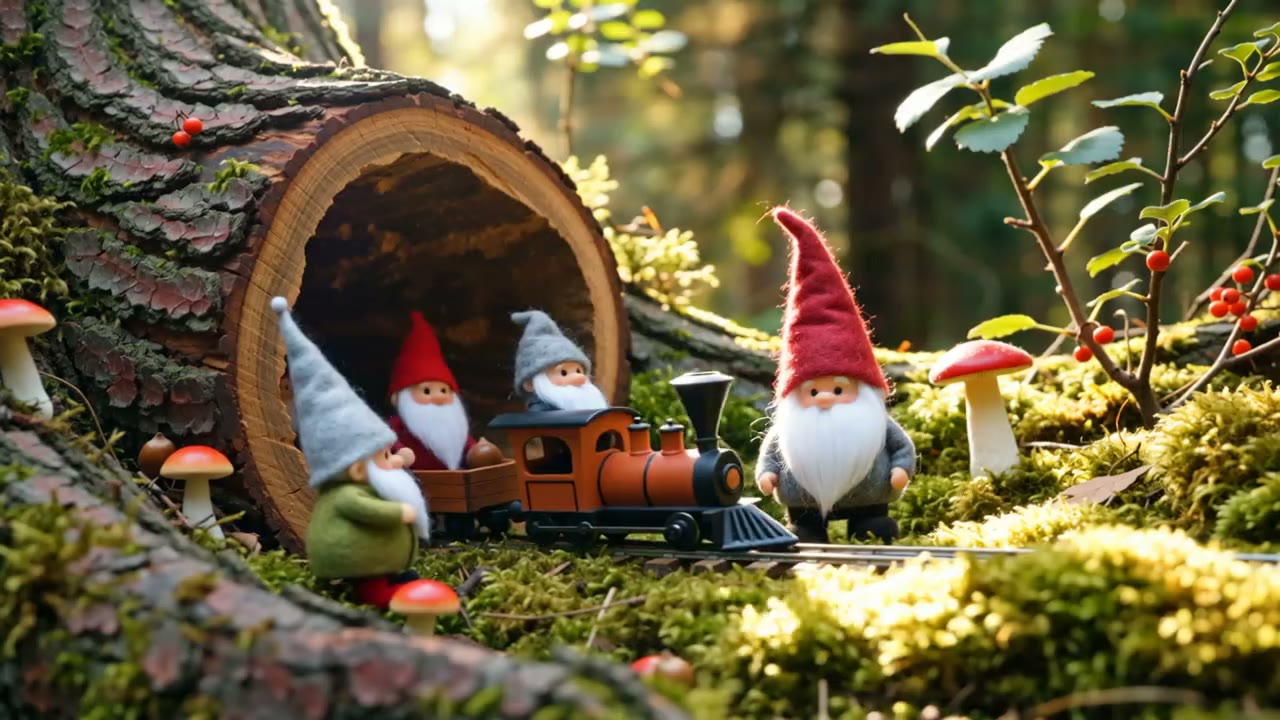 Opening frame
Give the AI animation generator a complete direction by describing the medium, character design, movement, camera, lighting, and texture together rather than relying on a loose style label.
Hailuo 2.3 Standard is the default, while every compatible AI animation generator model below offers different strengths in image fidelity, stylized motion, prompt following, duration, audio, and resolution.
Use the AI animation generator to explore characters, visual media, and movement without building rigs, painting every frame, or configuring a traditional 3D scene.
Describe a scene from scratch with its characters, action, art direction, camera movement, lighting, and timing.
Start from an illustration, character design, product image, or concept frame and add purposeful motion.
Prompt for 3D cartoon, anime, clay, felt, puppet, pixel art, ink, monochrome, paper craft, or hybrid styles.
Adjust model, aspect ratio, resolution, duration, sound support, and prompt details for the destination platform.
The AI animation generator works best when you define the visual language first, then give the scene one simple, readable action and clear camera direction.
Write the core scene or upload a source image whose character, framing, colors, or illustration style you want to carry forward.
Name the animation medium, material qualities, subject action, camera behavior, pace, lighting, and details that should remain consistent.
Review the clip and simplify conflicting directions, strengthen the style language, or switch models to explore another interpretation.
Use an AI animation generator for quick visual communication, playful content, character exploration, concept development, and stylized production experiments.
Create expressive rounded characters, cinematic family-film lighting, and readable actions for short scenes.
Build retro game moments, looping environments, sprite-inspired characters, and nostalgic social clips.
Explore handcrafted wooden, fabric, or theatrical puppet movement with tactile staging and materials.
Generate stop-motion-inspired scenes with fingerprints, sculpted forms, miniature sets, and stepped movement.
Create soft handmade worlds with stitched details, layered fibers, and warm children’s-story appeal.
Use bold black-and-white shapes, ink textures, limited palettes, and high-contrast motion for striking visual pieces.
Every AI animation generator example in this collection comes from the official Wan prompt guide and represents the animation style named in its caption.
Use AI animation generator credits for rapid style exploration, multiple motion takes, and higher-quality versions of the concepts worth finishing.
It creates a moving clip from text, an image, or both, interpreting your instructions for subject action, camera motion, visual style, materials, lighting, and timing.
Hailuo 2.3 Standard supports both text-to-video and image-to-video with expressive, physics-aware motion, making it a broad starting point for animation work.
Yes. Upload the character as the first image and describe a focused action. A clean full-body or waist-up pose often provides clearer motion guidance.
You can prompt for 3D cartoon, anime, clay, felt, puppet, pixel art, hand-drawn, ink, watercolor, paper craft, monochrome, and many mixed-media looks.
Describe materials, shapes, rendering method, palette, lighting, and motion language together. Avoid stacking unrelated style references in one short prompt.
You can ask for a cyclical action and a stable camera. Exact seamless loops may still need a small edit after generation.
The output can imitate that visual language, but it is generated as video rather than delivered as editable hand-drawn frames or a layered animation project.
Audio availability depends on the selected model. Hailuo 2.3 does not expose audio generation here, while some other models support native audio.
No. The six clips are official Wan examples published by Alibaba Cloud. They are used to show clearly matched animation styles.
Begin with one simple action over a short duration. Short, focused shots are easier to direct and can be edited together into a larger sequence later.
Commercial use depends on your input rights, plan, model provider terms, and local requirements. Review those conditions before publishing or delivering client work.
Open the AI animation generator, describe the world, choose the medium, and create an animated shot from text or a source image.
Create an animation