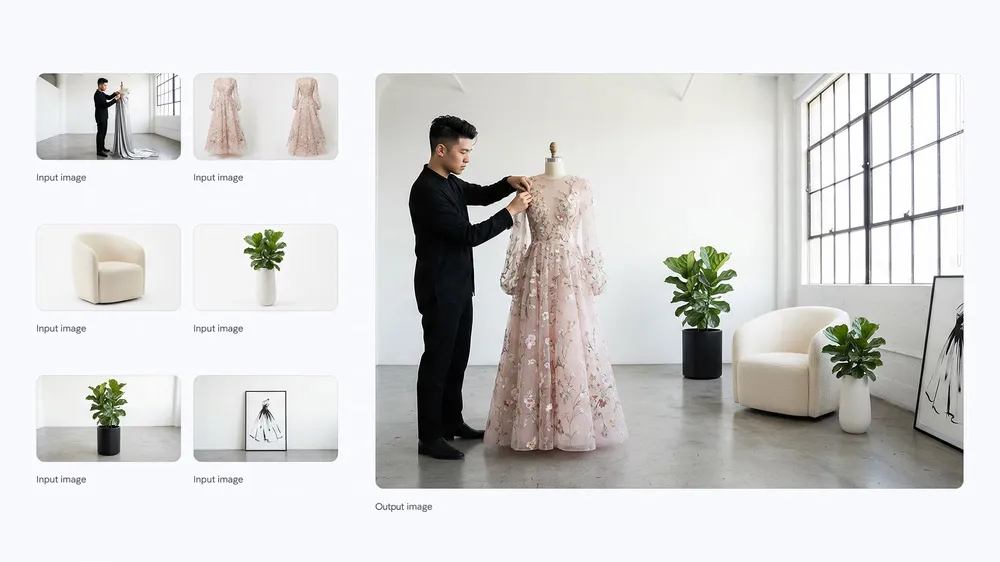
References to a finished scene
Combine subject, clothing, furniture and environment references in one request. This official Nano Banana example uses several inputs to construct a coherent fashion studio scene.
Upload a photo, sketch or design to the image to image AI generator, then describe what should change and what must stay recognizable. Choose a model and output size to create a new version from up to five references.
Upload at least one reference image to generate on this page. Generation requires an account and uses credits based on the model, resolution and quality you choose. Failed tasks are refunded automatically.
Image to image work begins with a visual anchor. The strongest instruction names both sides of the edit: what the model may reinterpret and what it must protect. A product can move into a new campaign world, a room can take on a different material language, and a photograph can guide an illustration without starting from a blank canvas.
Combine subject, clothing, furniture and environment references in one request. This official Nano Banana example uses several inputs to construct a coherent fashion studio scene.
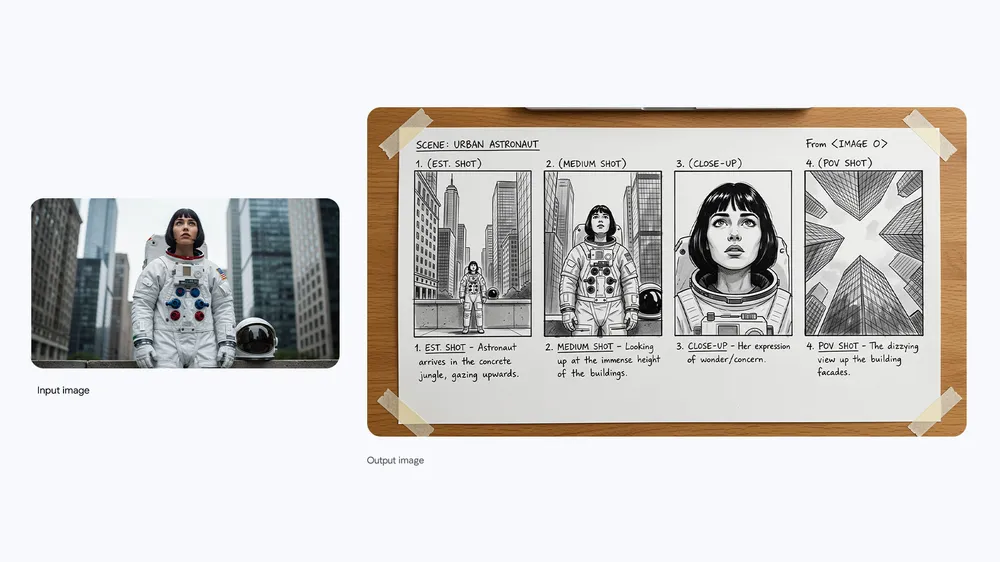
A source photograph can anchor character, clothing and location while the model develops a sequence of new camera views. State which identity and environment details must remain consistent.
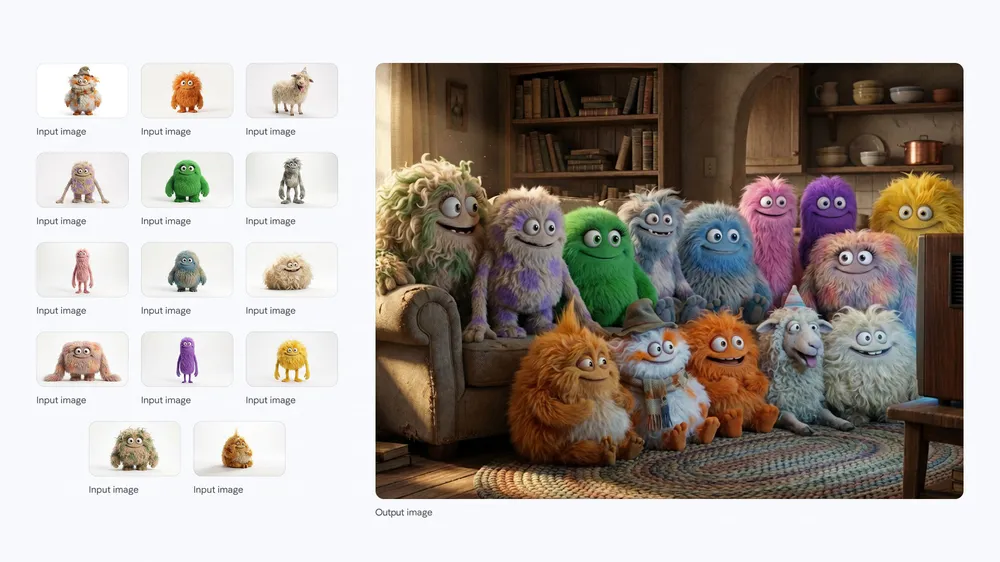
Multiple character references can be assembled into a shared environment. Give every input a clear role and describe relative placement so the final image feels intentional rather than collaged.
The same image can produce very different edits across GPT Image 2, Seedream 5.0 Pro and the Nano Banana family. Some models prioritize fast variation, while others are better suited to detailed instruction following, readable layouts or higher-resolution output. Switch models without changing the rest of the workspace.
The generator accepts visual references without turning the page into a separate editor. Upload, direct, generate and compare in one workspace, with settings limited to what the selected model supports.
Combine a subject photo with palette, material or layout references when one image cannot explain the whole direction. Uploads are moderated and tracked individually, so a blocked or failed file does not silently contaminate the request.
Describe the intended change as a concrete instruction: replace the floor with dark terrazzo, keep the window positions, shift the scene to late afternoon. The prompt does not require masks, layers or provider-specific syntax.
Aspect ratio, resolution, quality and transparent-background options update with the selected model. The interface avoids promising a 4K or background mode when the active provider does not support it.
Completed images remain tied to the instruction and settings that produced them. Reuse a successful direction, compare variations and return to a finished result without keeping separate notes outside the generator.
Image to image generation is easier to control when the reference has a clear role and the prompt distinguishes change from continuity.
Choose a sharp JPG, PNG or WebP with the subject clearly visible. Add more references only when each one contributes a distinct signal, such as identity, palette, material or composition.
State the edit, then name what should remain stable. “Turn this room into a night-time listening bar; keep the camera angle, windows and curved sofa” is more useful than a broad request to make it cinematic.
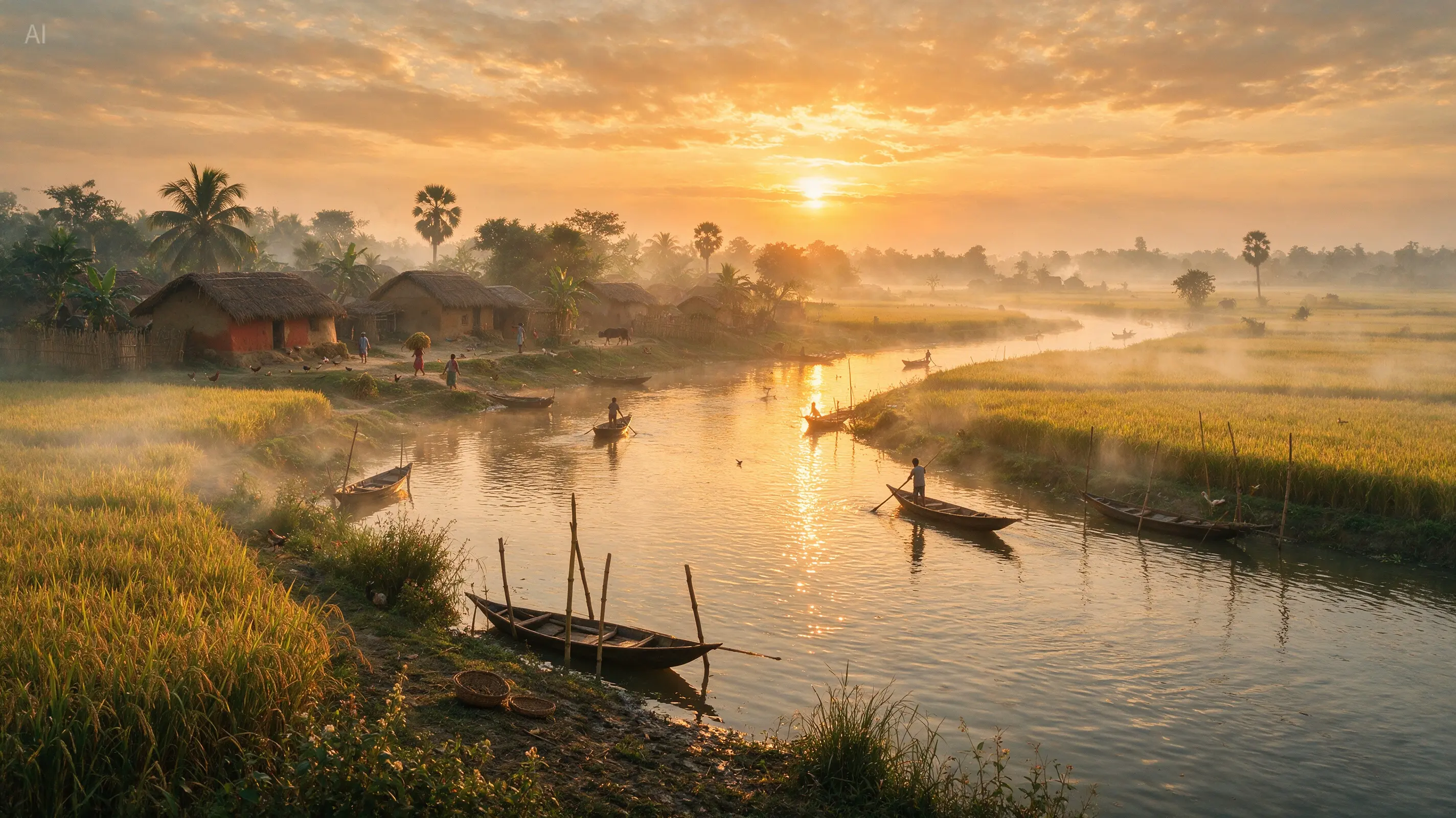
Review subject fidelity, structure and unwanted changes separately. If the result drifts, shorten the prompt and reinforce one protected element. Change the model when the issue is capability rather than wording.
A reference-guided workflow is valuable when blank-canvas generation would throw away useful information. These tasks begin with an asset you already own and extend it into a new deliverable.
Combine clothing, furniture and location references while preserving the intended subject and garment. Give each image a defined role, then refine pose, camera position and lighting in the prompt.
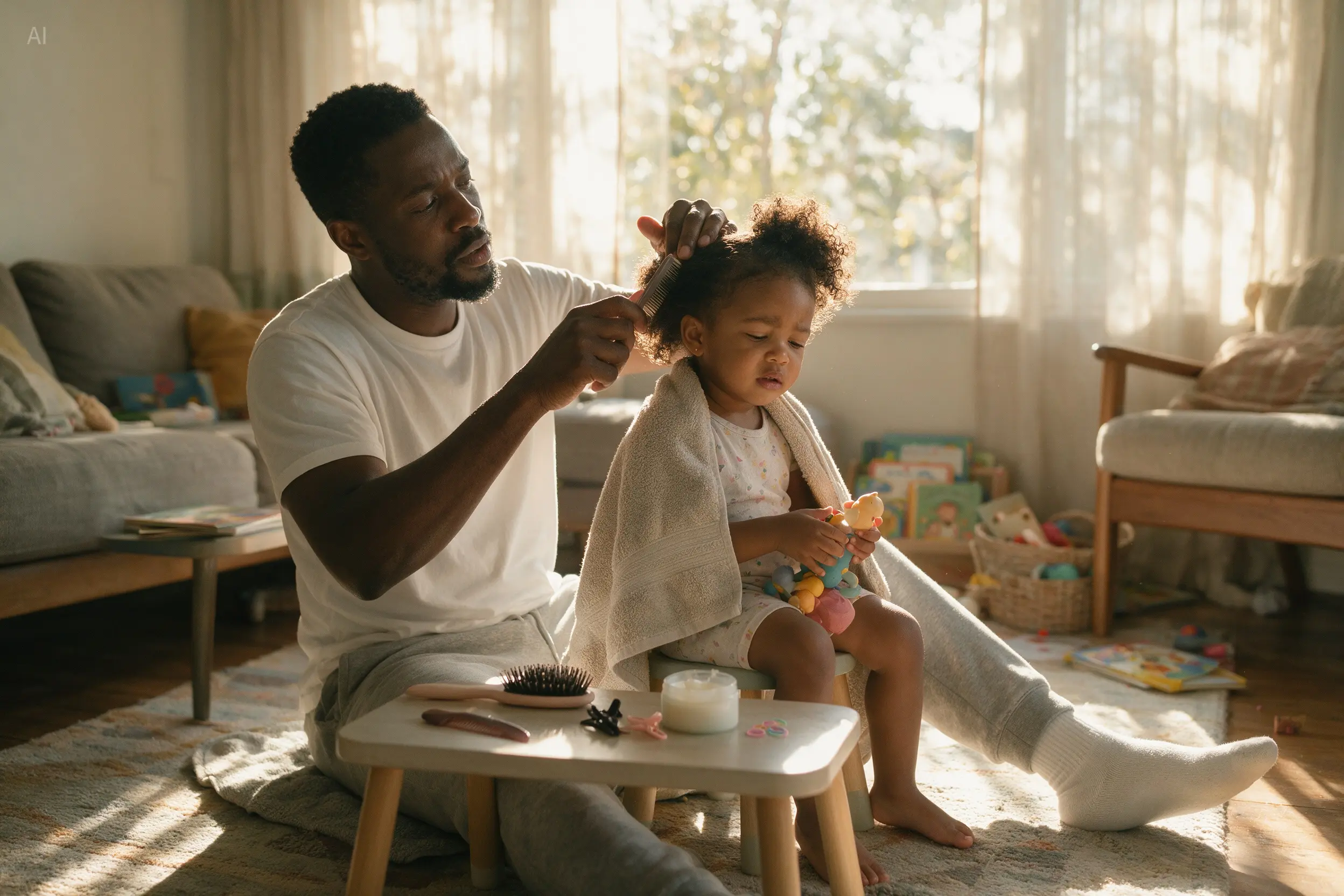
Turn one source photograph into a sequence of planned shots. An image to image AI generator can preserve the person and environment while exploring wide, medium, close-up and point-of-view compositions.
Upload separate character references and place them in one shared scene. The references anchor appearance while the instruction defines grouping, expression, depth and the environment around them.
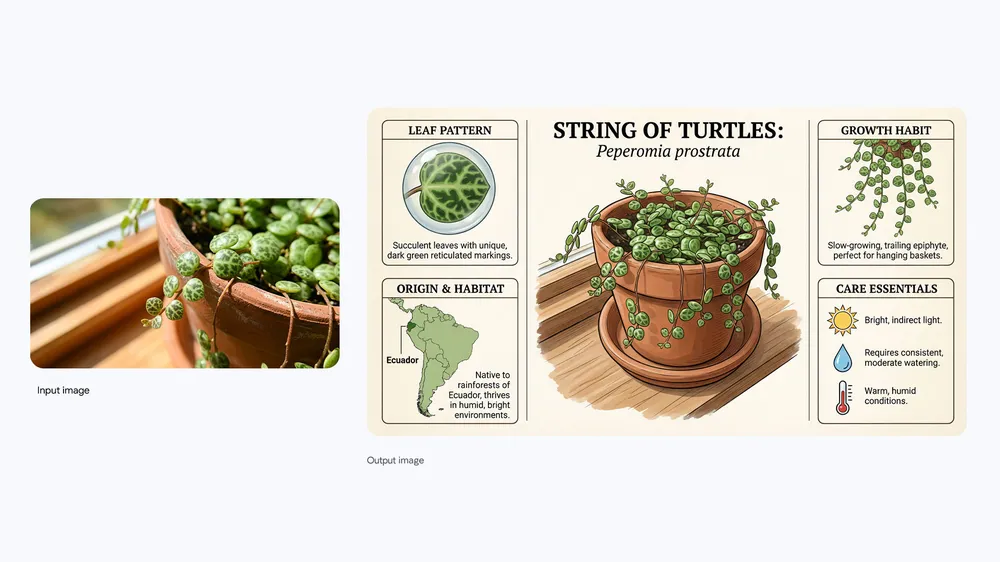
Use a photograph as the factual visual anchor for a guide or explainer. Specify the information hierarchy and illustration style, then verify every generated label before publication.
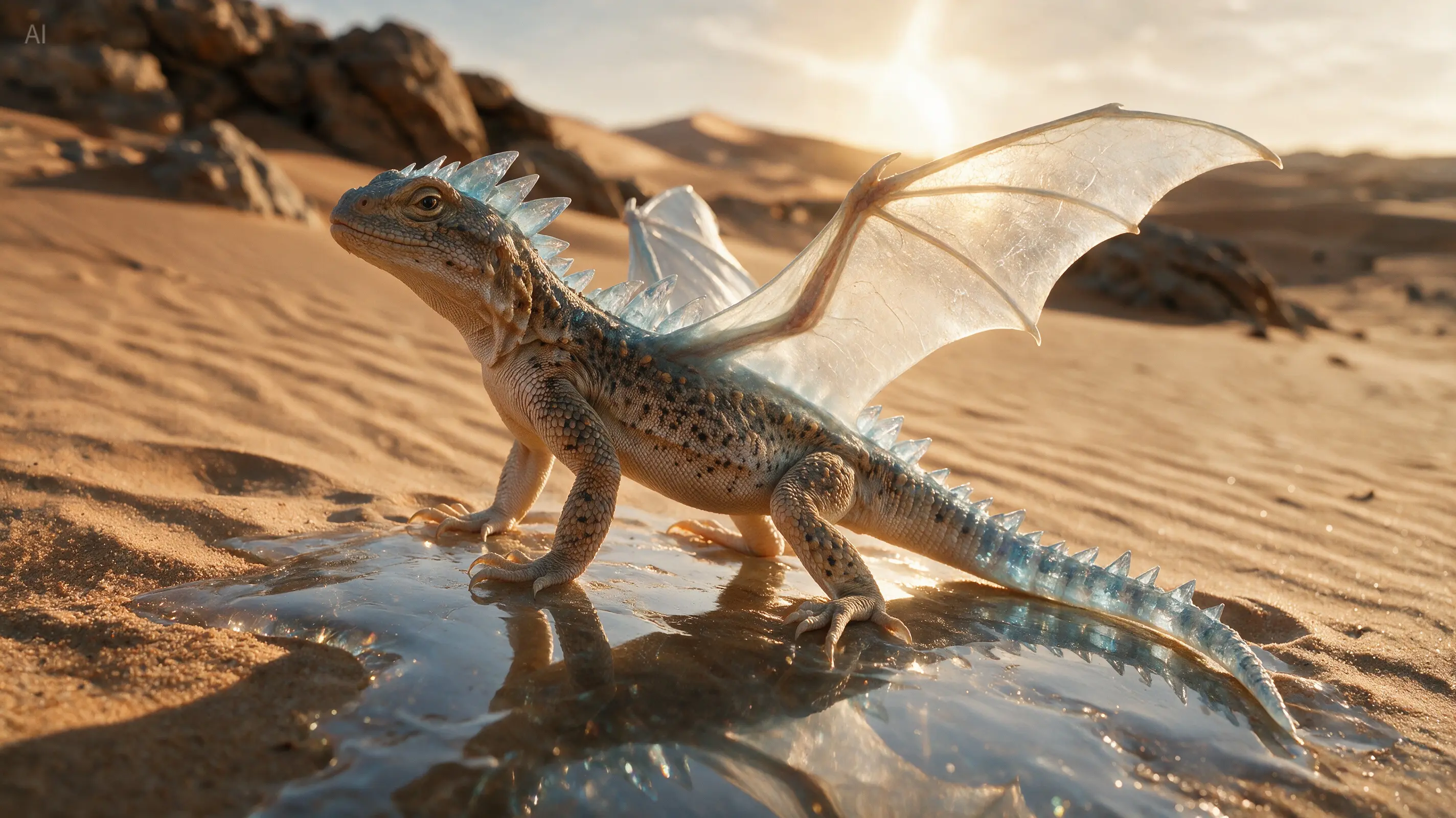
Use an existing animal to anchor anatomy, pose and environment, then describe a controlled fantasy treatment. Name the details that must stay biologically plausible while changing material and silhouette.
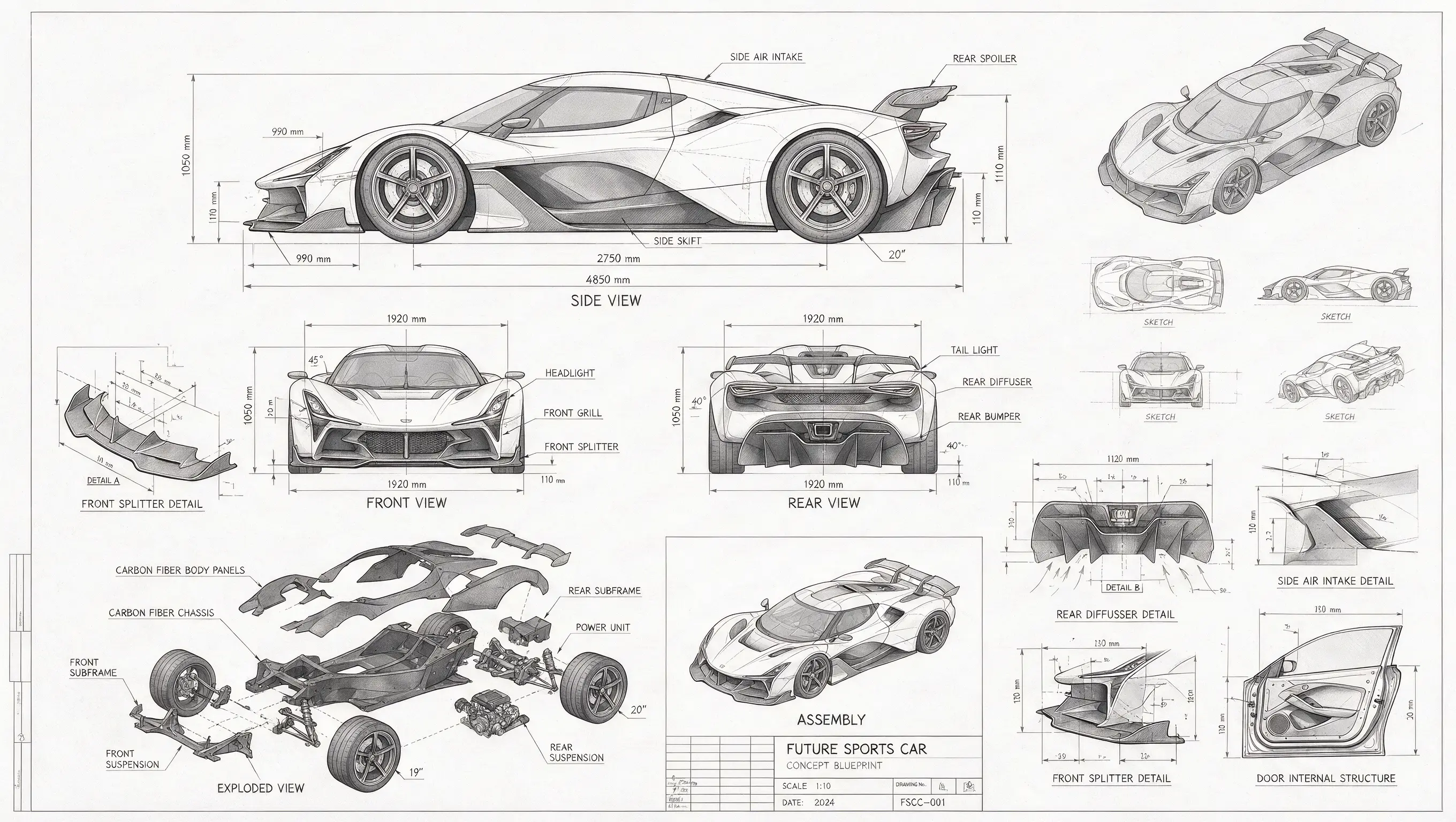
Hold onto proportion and key structural details while turning a rough design into a presentation-ready concept sheet. References are useful when a pure text prompt would invent a different object.
Explore real prompt records and multi-image sets in the ReelCine gallery. Use a prompt as a starting point, then replace its references with images you have permission to edit. Gallery cards remain connected to their source prompt and model instead of presenting anonymous output.
Choose image to image when visual continuity is part of the brief. Choose text to image when the model should invent the scene without an uploaded anchor.
| Decision | Text to Image | Image to Image |
|---|---|---|
| Starting point | A prompt with optional references | At least one uploaded image plus an instruction |
| Best for | Original scenes, concepts and blank-canvas exploration | Edits, restyles, variations and continuity |
| What guides structure | Language and the model's interpretation | The uploaded subject, composition and reference set |
| Prompt priority | Describe what should exist | Describe what changes and what stays fixed |
Adding a reference does not hide the cost. The generate button shows the credits required for the selected model, resolution and quality before the request runs. Failed generations are refunded automatically.
An image to image AI generator creates a new image using one or more uploaded visuals as guidance. Unlike text to image generation, it does not begin from language alone. The reference can anchor the subject, composition, palette or material while the prompt tells the model what to change.
Yes. This landing page is configured for image to image generation, so at least one reference is required before the request can run. If you want to create from words alone, use the text to image page, where the same upload module remains available but is marked optional.
You can upload up to five references. More images are not automatically better. Give each file a clear job, such as the subject, color palette, surface treatment or layout. A smaller reference set with distinct roles is easier for the model to interpret than five near-duplicate photographs.
Use a clear JPG, PNG or WebP file. Higher-quality sources give the model more useful information about shape and texture, but oversized files do not fix blur or heavy compression. Crop away irrelevant borders and make sure you have permission to upload and transform the image.
Use a clean reference where the subject is large and unobstructed, then state which traits must stay stable. Ask for one meaningful change at a time. If identity or product shape drifts, reduce style language, reinforce the protected features and try a model with stronger reference following.
Yes. Upload the subject image and describe the new environment, lighting and surface while explicitly asking the model to preserve the subject. For exact production cutouts, a dedicated background-removal workflow may still be more predictable; image to image is best when the surrounding scene also needs to be created.
Yes. Image to image generation is well suited to interior concepts and product-scene variations because the upload supplies existing geometry. Name fixed elements such as camera angle, windows, product silhouette or packaging structure, then direct the new materials, setting and light.
The best choice depends on the edit. Use a faster Nano Banana option for exploration, and compare GPT Image 2 or Seedream 5.0 Pro when instruction following, layout or detail matters more. Supported resolution and quality controls update with the selected model, and the current cost is visible before generation.
References are uploaded through the authenticated image-generation workflow, checked by the existing moderation process and attached to the generation request. Review the privacy policy for current retention details. Do not upload confidential, unlawful or third-party material you are not permitted to process.
Commercial use depends on your plan, the selected model terms and the rights attached to every reference. Transforming a photo does not erase the photographer's copyright, a person's publicity rights or a brand's trademark. Only upload assets you are allowed to edit and review current terms before paid publication.
Upload the reference, describe the new direction and name what must remain consistent. The generator handles the model, ratio and resolution in the same workspace.
Transform My Image