Google DeepMind high-efficiency image model

Nano Banana 2 AI Image Generator

Create polished visuals at Flash speed with Nano Banana 2. Generate from a prompt, combine up to five reference images, and choose 1K, 2K or 4K output for campaigns, story frames, product concepts and everyday creative production.

  • Fast text and reference workflows
  • 1K, 2K and 4K output
  • Failed generations are refunded
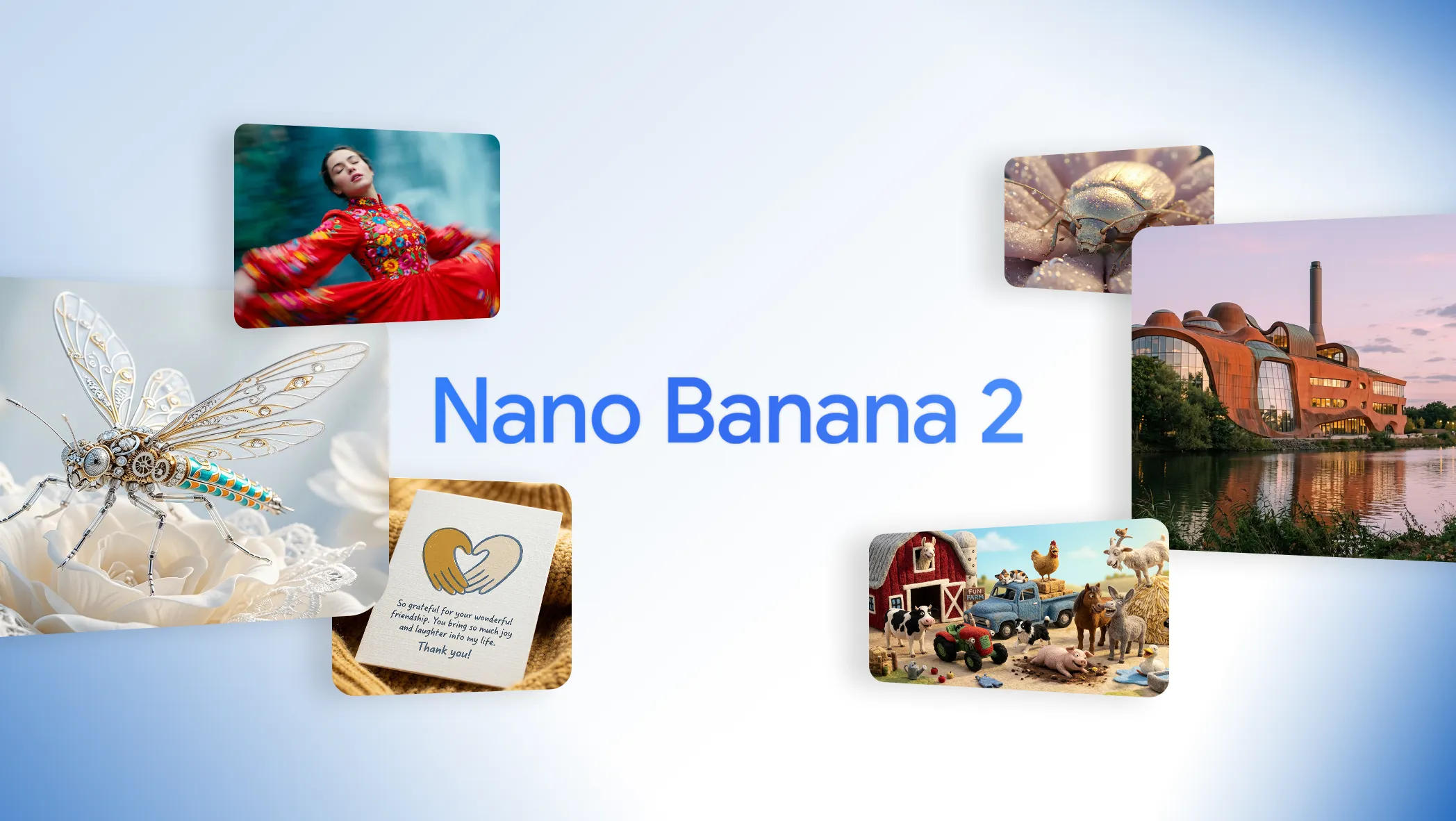
Official Google Nano Banana 2 launch image with a jeweled insect, dancer, architecture and farm characters

Create an image with Nano Banana 2

Describe the visual and its destination, choose a ratio and resolution, then add only the references needed to preserve a person, product, style or composition.

Loading the generator…

Nano Banana 2 is selected automatically. You can switch models if the same prompt needs a premium or differently controlled interpretation.

Pro-level range at Flash-model speed

Nano Banana 2, also known as Gemini 3.1 Flash Image, is Google's high-efficiency general-purpose image model for fast generation, editing and high-volume work.

Google introduced Nano Banana 2 as the faster counterpart to Nano Banana Pro: a model intended to carry advanced text rendering, visual consistency, world knowledge and high-resolution output into everyday production. Its official examples span flat-lay explainers, localized signs, crowded character scenes, sequential storytelling, realistic landscapes and stylized portraits rather than treating speed as an excuse for one narrow visual style.

Learn More

In ReelCine, the model supports text-to-image generation and reference-guided creation with up to five uploaded images. The current interface offers seven common aspect ratios and 1K, 2K or 4K output. Google documents Search and Image Search grounding for the underlying model, but this generator does not expose a grounding control, so prompts should contain the facts and visual references the result actually needs.

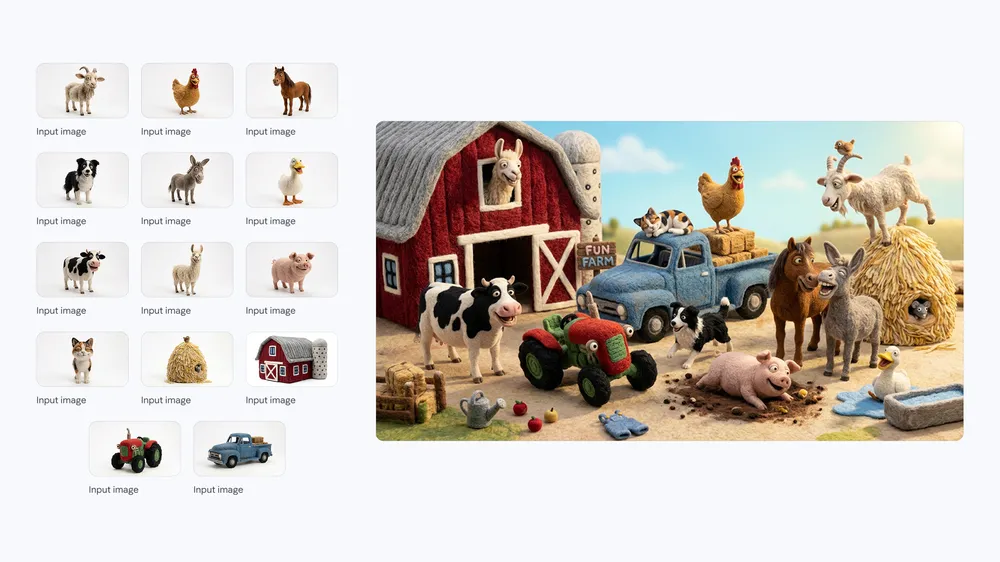
The official examples below were selected for visible evidence. The water-cycle flat lay tests information hierarchy. The localized wildlife sign shows translation within a designed object. The farm ensemble and treehouse sequence demonstrate consistency across many subjects and several shots. The portrait edit provides a more practical measure: a new wardrobe and location while the person's identity remains recognizable.

The Nano Banana 2 setup in ReelCine

These are the controls currently available in the embedded generator. They reflect the product integration rather than every option in Google's broader Gemini API.

Input
Prompt plus up to 5 images

Start from text or add references for identity, object fidelity, editing and visual continuity.

Resolution
1K, 2K or 4K

Use 1K for rapid exploration and 2K or 4K when the direction is ready for production.

Aspect ratios
7 formats

Generate square, landscape, portrait and mobile-first frames without a separate crop step.

Credit cost
2 or 3 credits

1K costs 2 credits; both 2K and 4K currently cost 3 credits.

Four jobs Nano Banana 2 handles with speed and range

Each section uses a published Google example that directly demonstrates the capability described beside it.

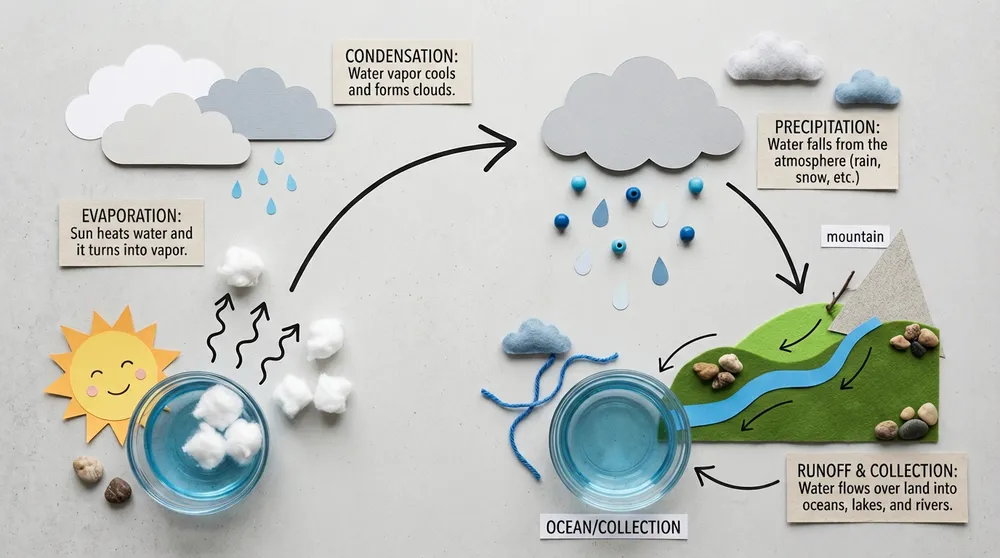
Official Nano Banana 2 flat-lay water cycle infographic with hand-drawn arrows

Fast information graphics

Turn a familiar process into a visual explanation with physical objects, arrows and a clear reading order. The water-cycle example balances diagram logic with tactile flat-lay photography instead of relying on a generic chart template.

Create with Nano Banana 2
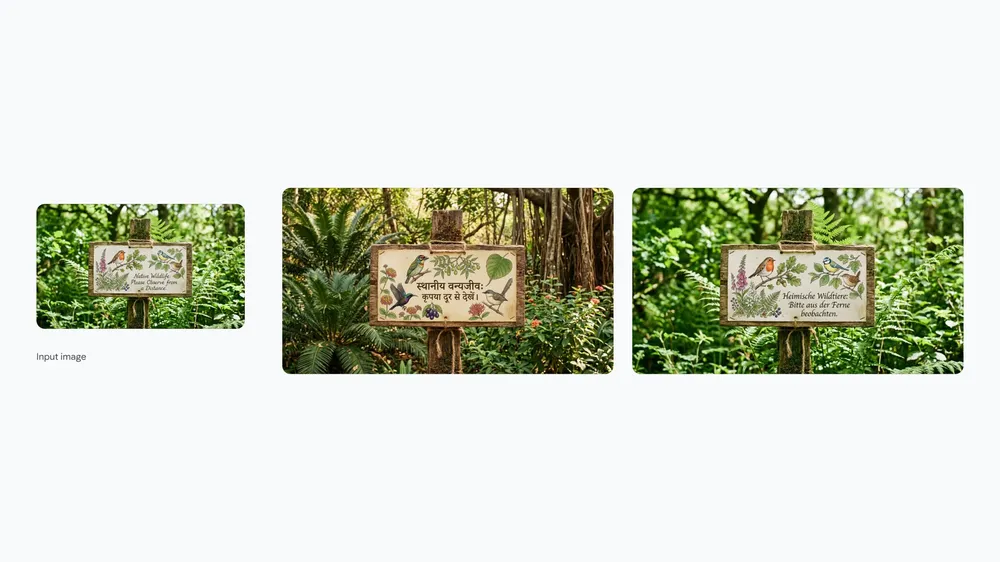
Official Nano Banana 2 wildlife sign localized from English to Hindi with regional birds and plants

Localization inside the image

Adapt text and visual context together. Google's paired wildlife sign changes the language and regional species rather than merely replacing one line of copy on an otherwise unchanged asset.

Create with Nano Banana 2
Official Nano Banana 2 farm scene with fourteen consistent characters and objects

Many consistent subjects

Arrange a crowded set of distinct characters and objects while keeping the qualities that make each one recognizable. The farm scene is deliberately busy, which makes it a stronger consistency demonstration than a single portrait.

Create with Nano Banana 2
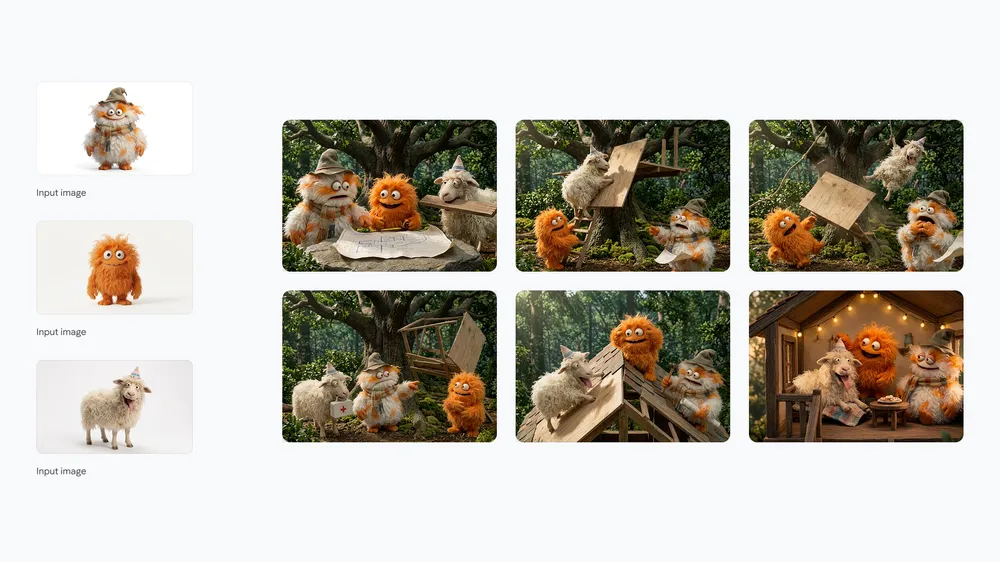
Official Nano Banana 2 multi-panel story of three fluffy characters building a treehouse

Sequential visual storytelling

Build several frames around the same cast, action and location. The treehouse sequence varies expression and camera distance while maintaining three fluffy characters through a clear beginning-to-progress story.

Create with Nano Banana 2

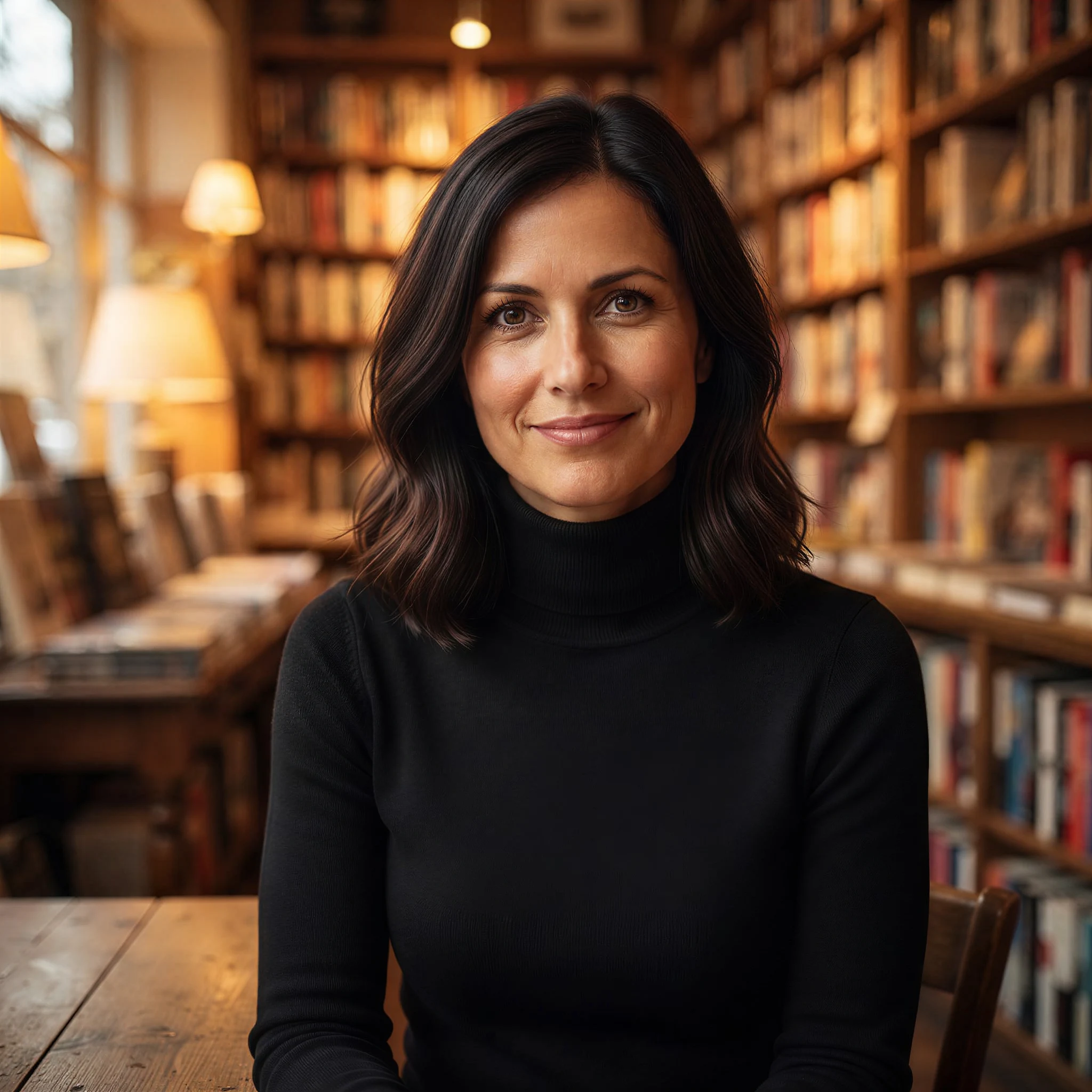
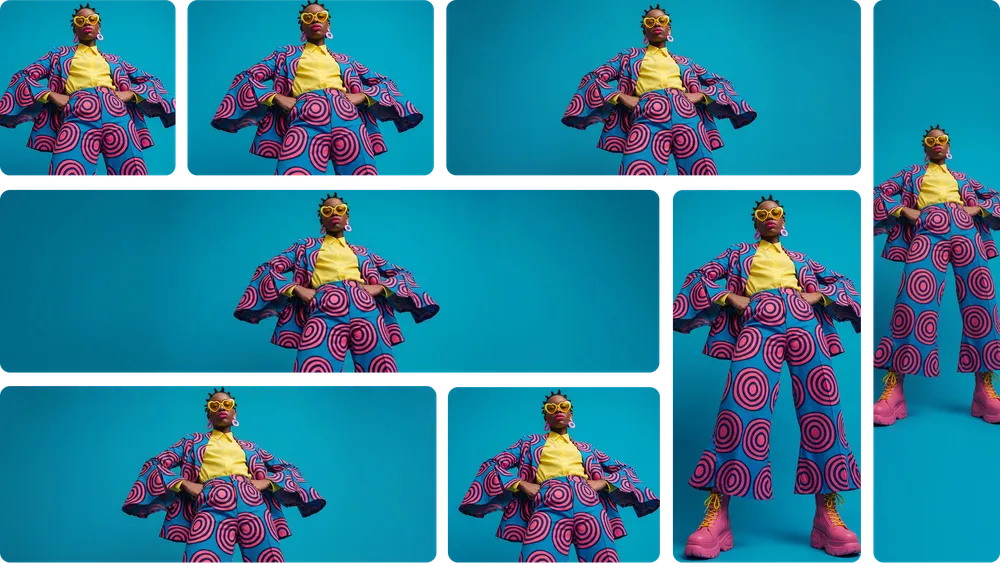
Change wardrobe and place while preserving a recognizable person

Reference edits are easier to evaluate when the prompt names the visual constants. This example changes the clothing, room and lighting while retaining the person's face, hair, skin tone and expression.

Professional office portrait before a Nano Banana 2 wardrobe and location edit
Office portrait reference
Nano Banana 2 edit preserving the woman's identity in a warm bookstore with a black turtleneck
Bookstore portrait edit

Change the blazer to a black turtleneck and move the woman into a warm bookstore. Keep her face, hairstyle, skin tone and expression the same. Use soft amber practical light and a centered editorial portrait composition.

Where Nano Banana 2 makes everyday work move faster

Choose it when you need several strong directions, consistent frames or high-resolution variations without paying the premium-model cost for every experiment.

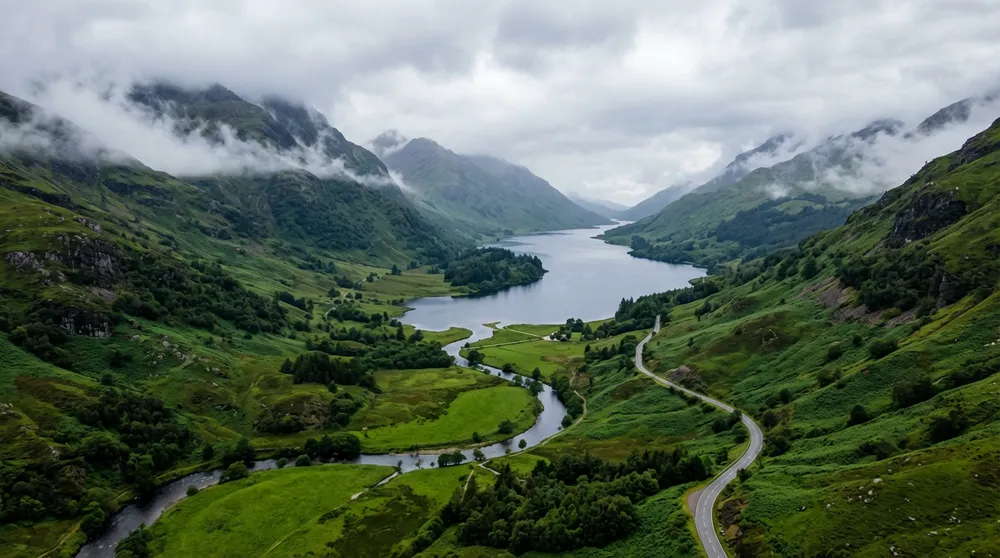
Official Nano Banana 2 aerial landscape of a misty valley, winding road and dark lake

Campaign backgrounds and establishing frames

Generate atmospheric landscapes and location concepts for presentations, key art and story planning. Define the viewpoint, weather, palette and space needed for later copy placement.

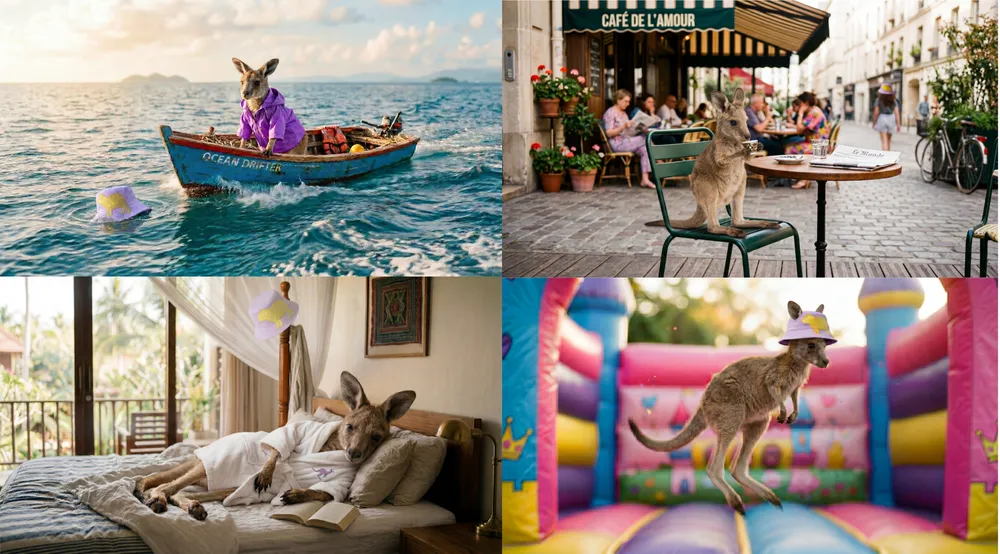
Official Nano Banana 2 four-frame sequence of a kangaroo on vacation

Character sequences and content series

Develop several related moments with a recognizable subject and varied activity. Use the references to define the character, then spell out what changes from frame to frame.

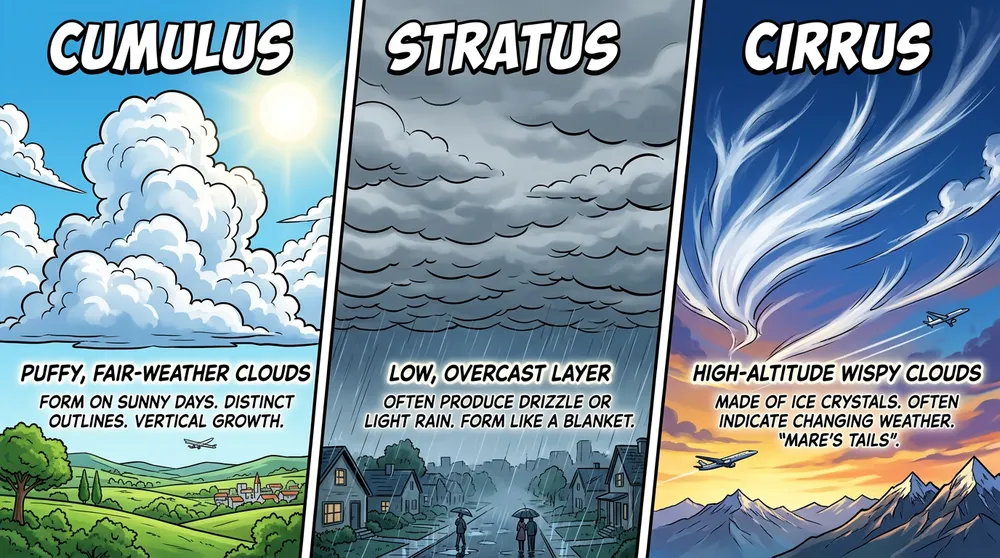
Official Nano Banana 2 comic-style infographic comparing cumulus, stratus and cirrus clouds

Social explainers and learning visuals

Create compact labeled graphics for classroom, editorial or social use. Keep the information set small enough to proofread and define the reading order in the prompt.

Prompt Nano Banana 2 for fast first-pass accuracy

Speed is most useful when the brief is still precise. State the outcome, evidence, composition and constraints in a stable order so each iteration is easy to compare.

Prompt structure

Asset and destination + main subject + reference roles + action or edit + camera and composition + exact copy + lighting and style + preserved details and exclusions.

Example for a consistent three-frame series

Create a wide 16:9 triptych using the uploaded ceramic robot as the same main character in all three panels. Panel one: unpacking seed packets at a greenhouse bench. Panel two: planting tiny herbs from a low side angle. Panel three: proudly holding the first sprout at sunset. Preserve the robot's cream glaze, blue painted joints and chipped left antenna. Warm storybook realism, distinct camera distance in each panel, clear left-to-right sequence, no captions and no extra characters.

01

Make each iteration measurable

Keep the subject and purpose stable while changing one variable such as lens, layout or palette. You can compare fast outputs only when the prompt does not move every target at once.

02

Name reference roles

Tell the model which upload controls identity, product form, environment or style. Include the attributes that must be retained rather than asking for general consistency.

03

Use literal text and short modules

Place required wording in quotation marks and organize explainers into a few named sections. Proofread the result, then correct one text block at a time.

Generate with Nano Banana 2 in three steps

Use the lower-cost resolution for exploration, then keep the winning direction intact as you move toward a production output.

01

Describe the destination

Start with the real asset type, audience and frame. Add the subject, action, composition, text and visual finish in concrete terms.

02

Add evidence and select output

Upload up to five references when they solve an identity or design problem. Select the aspect ratio and use 1K, 2K or 4K to match the stage of work.

03

Compare, inspect and refine

Check continuity, copy and anatomy, then rerun a focused variation. Raise the resolution after the composition and creative direction are working.

Nano Banana 2 controls and efficient pricing

There is no separate quality menu for this model in ReelCine. Resolution is the main output and pricing control.

ControlAvailable valueWhen to use it
Resolution1K, 2K, 4KUse 1K to explore quickly and 2K or 4K for more detailed production-ready frames.
Aspect ratio1:1, 2:3, 3:2, 3:4, 4:3, 9:16, 16:9Choose the final canvas early so the subject, copy and negative space are composed for the right surface.
Reference inputOptional, up to 5 imagesUse references for identity, product, place or style, and explain the role of each upload.
Credits2 at 1K, 3 at 2K/4KThe total is visible before generation, and credits are returned automatically when a job fails.

Choose Nano Banana 2 when iteration matters

This model balances quality, speed and cost. Move to a premium alternative only when the brief has a clear reason to require its extra control.

DecisionNano Banana 2Consider another model
Rapid visual explorationDesigned as a high-efficiency model for quick generation, editing and production at volume.Nano Banana Pro is better suited to the hardest compositions after a direction has been chosen.
Resolution per creditThe current 4K option costs 3 credits, the same as 2K, which makes high-resolution iteration economical.GPT Image 2 offers explicit quality tiers and transparency when those controls matter more than simple pricing.
Consistent seriesA strong fit for character sets, story panels and repeated subjects guided by reference images.Compare Nano Banana Pro when several people or exact brand elements must survive a very complex scene.
Text and localizationUseful for short explainers, signs and designed copy across languages, with all wording still requiring review.Compare Seedream 5.0 Pro for dense information layouts or Nano Banana Pro for longer, premium visual content.

Fast output still needs careful review

Generation speed makes iteration easier, but it does not turn an unverified image into a finished source of truth.

  • ReelCine does not currently expose Google's Search or Image Search grounding controls for this model.
  • Proofread generated words, translations, diagrams, dates and factual claims before the image is published.
  • Inspect identity, hands, faces, repeated objects, reflections, shadows and small labels at full resolution.
  • Reference consistency can drift when uploads conflict or their roles are not clearly explained in the prompt.
  • The result is a flattened raster image; use a design tool for editable type, reusable components and final production files.

Nano Banana 2 questions

What is Nano Banana 2?

Nano Banana 2 is Google's high-efficiency image generation and editing model, also known as Gemini 3.1 Flash Image. It is designed to balance high quality, low latency and production-scale use.

How is Nano Banana 2 different from Nano Banana Pro?

Nano Banana 2 prioritizes speed, price performance and general-purpose volume. Nano Banana Pro prioritizes maximum fidelity, complex composition, advanced localization and precision control.

Can Nano Banana 2 edit an uploaded image?

Yes. Upload a reference and state the change plus the identity, object, framing and lighting details that should remain stable. The current ReelCine interface accepts up to five images.

Which resolutions are available?

ReelCine currently offers 1K, 2K and 4K. A 1K image costs 2 credits, while 2K and 4K currently cost 3 credits.

Is Nano Banana 2 good for text in images?

Google highlights improved international text rendering for this model. Keep copy concise, place exact wording in quotation marks and proofread every important label or translation.

Can it keep characters consistent across several frames?

The model is designed for multi-reference processing and consistency. Clear reference images and an explicit list of traits to preserve make sequences easier to control.

Does this generator use Google Search grounding?

No. Google documents Search grounding for the underlying model, but the ReelCine page currently exposes prompt and reference-image generation without a grounding control.

How many references can I add?

You can upload up to five images in this workflow. Give each one a named purpose and remove any reference that does not contribute essential evidence.

When should I choose 4K?

Choose 4K when the composition is already working and the destination benefits from more native detail. It currently costs the same 3 credits as 2K, but small text and fine details still need inspection.

Sources and example provenance

Capabilities and official showcase images come from Google's Nano Banana 2 launch and current Gemini model documentation. The portrait edit is labeled from its published before-and-after example.

Turn the next direction into a real image

Start at 1K, compare a few focused variations, then carry the strongest prompt and references into a detailed 4K result.

Create with Nano Banana 2