ByteDance Seed image model

Seedream 5.0 Pro AI Image Generator

Use the Seedream 5.0 Pro AI image generator for visual work that has to communicate, not only decorate. Build information-rich graphics, multilingual campaign images, realistic photography and directed edits from a prompt or up to five reference images.

  • Text and reference-image workflows
  • 1K or 2K output
  • Failed generations are refunded
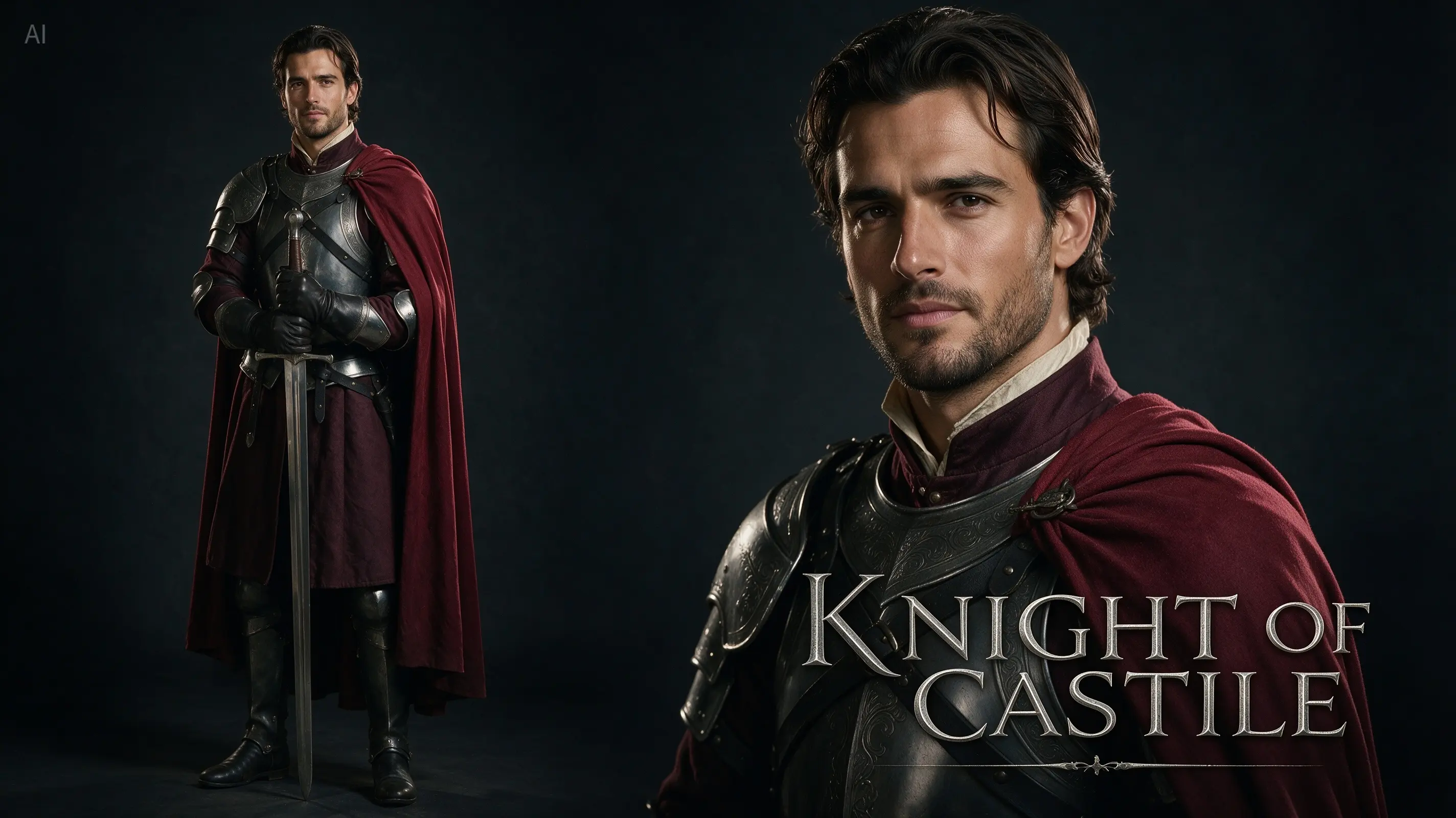
Official Seedream 5.0 Pro cinematic movie poster with a medieval knight

Create an image with Seedream 5.0 Pro

Write a complete visual brief, choose an output ratio and resolution, then add reference images when the result must follow an existing subject, product or composition.

Loading the generator…

Seedream 5.0 Pro is selected automatically. The model switcher remains available if you want to compare the same prompt with another image model.

An image model that understands design structure

Seedream 5.0 Pro is most distinctive when the request includes hierarchy, relationships, text, layout or a precise change to an existing image.

ByteDance describes Seedream 5.0 Pro as a multimodal image creation model for professional production. Its launch focused on four areas: complex information visualization, interactive precision editing, photographic visual quality and native multilingual generation. Those strengths make it useful for briefs that are closer to a design assignment than a one-line request for an attractive picture.

Learn More

In ReelCine, the practical workflow is intentionally simpler than ByteDance’s full research showcase. You can generate from a written prompt, or upload as many as five images and explain how they should guide the result. The current interface does not expose point selections, lasso tools or editable layer separation, so this page concentrates on capabilities you can use here: prompt-led creation, reference-guided image generation, seven aspect ratios and 1K or 2K output.

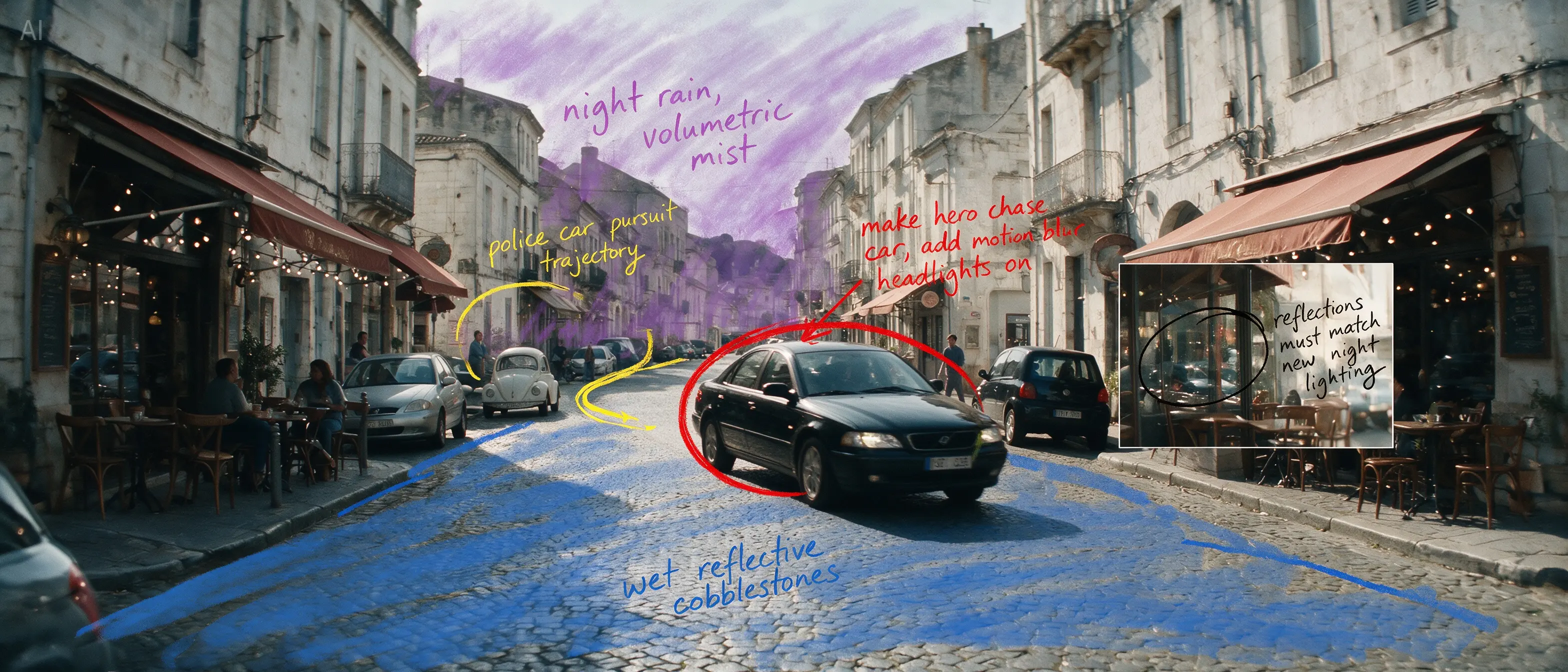
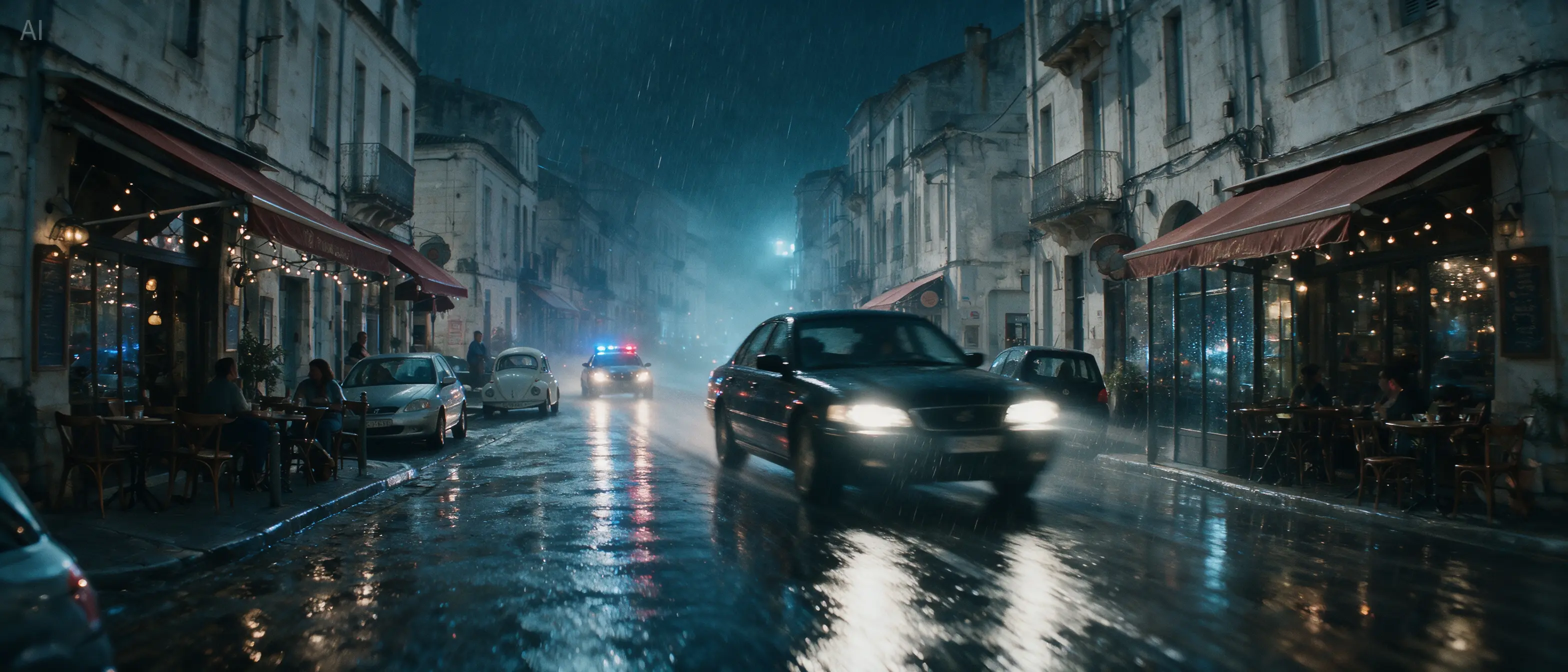
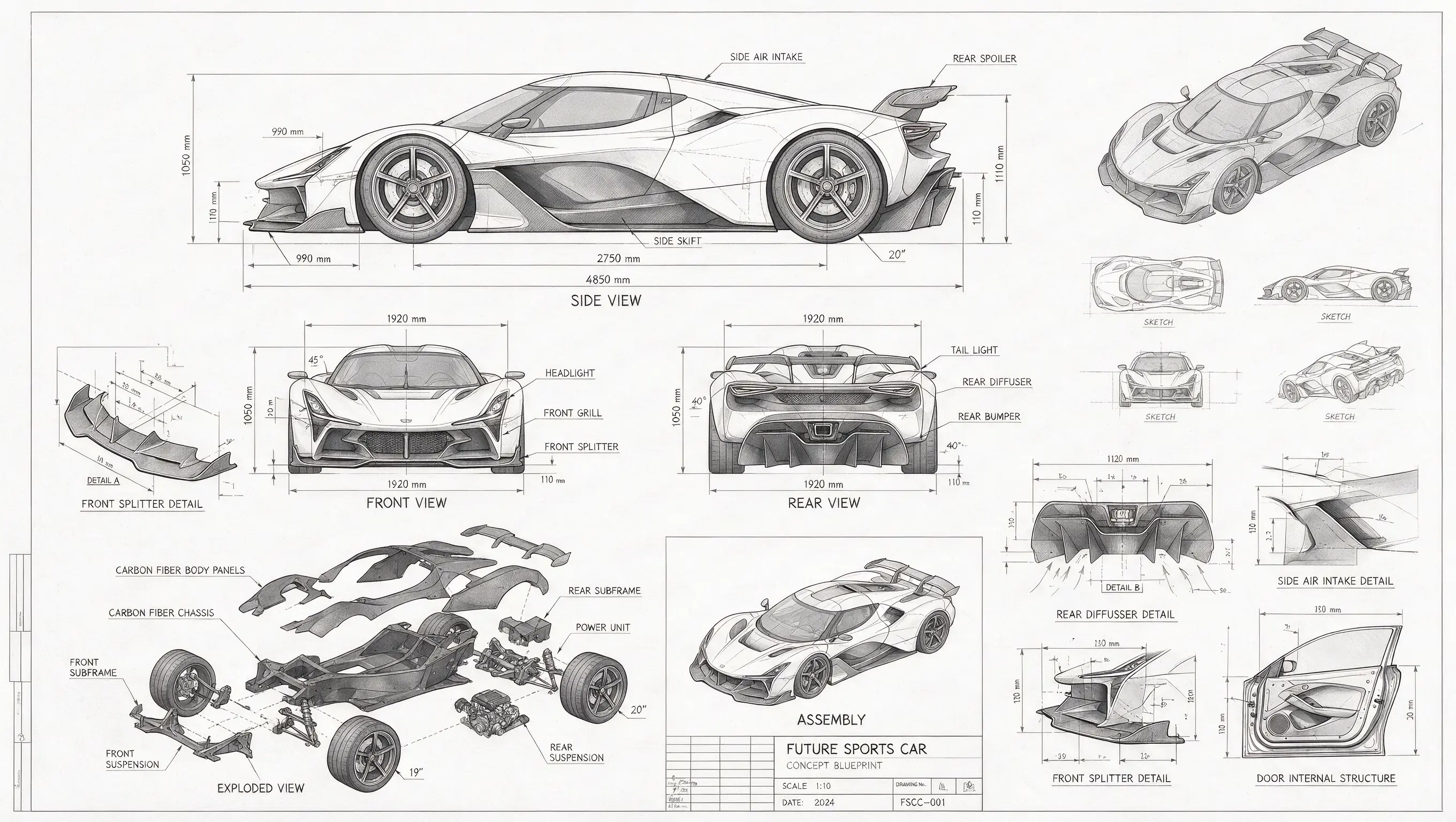
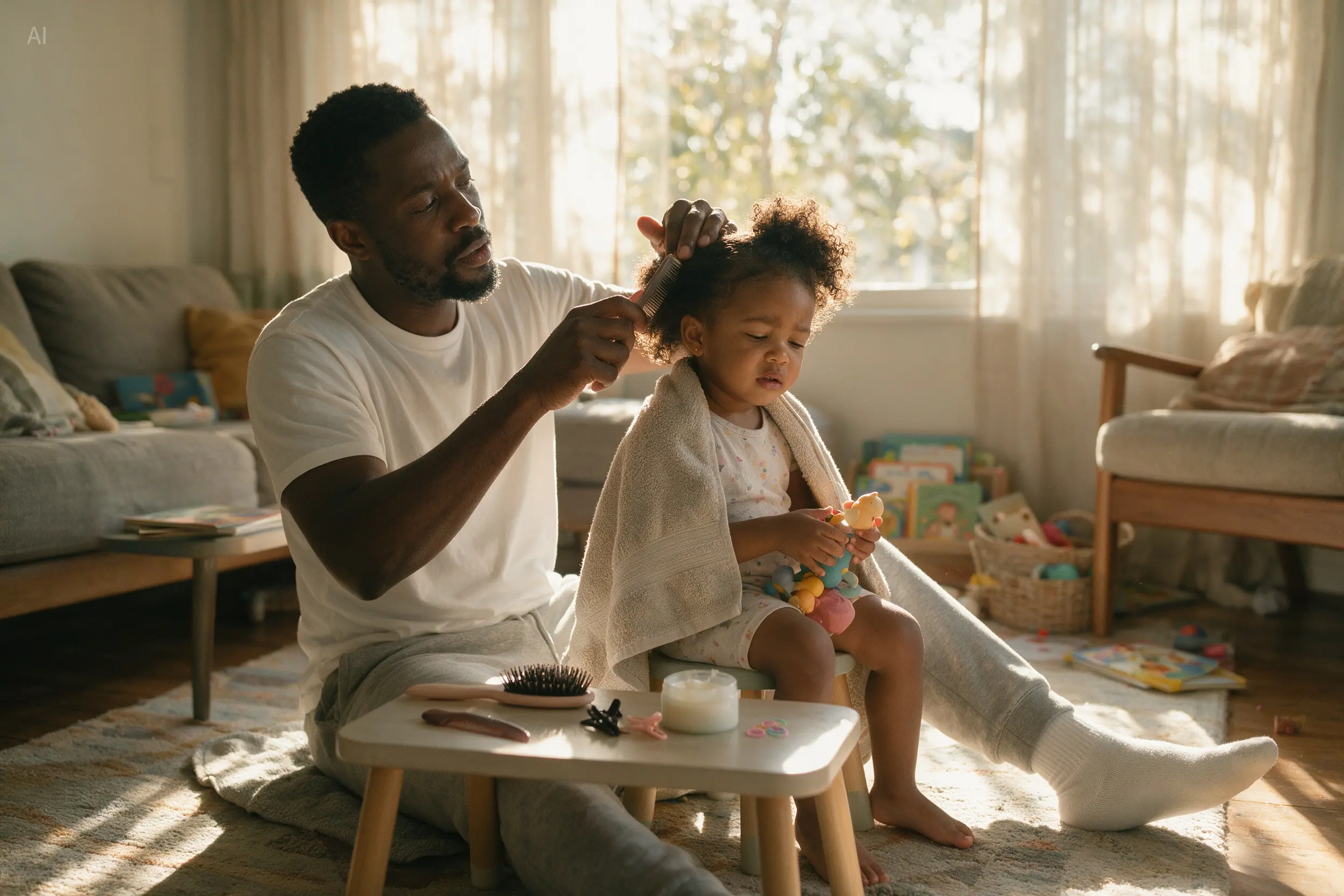
The official examples on this page were selected because each one proves a different claim. The technical car drawing shows dense structure. The public-safety poster tests several languages in one composition. The father and daughter photograph shows physical light and skin texture. The street transformation demonstrates how an annotated reference and a detailed instruction can redirect an entire scene while preserving its geometry.

The Seedream 5.0 Pro setup in ReelCine

These are the controls available in the generator on this page. They describe the current ReelCine integration, so you can choose a useful starting point before spending credits.

Input
Prompt plus up to 5 images

Generate from text alone or add visual references for an edit, composition or style direction.

Resolution
1K or 2K

Use 1K for exploration and 2K when typography, fine structure or final placement needs more detail.

Aspect ratios
7 formats

Square, portrait, landscape and mobile-first formats are available in the model controls.

Credit cost
4 or 7 credits

The total updates before generation: 4 credits at 1K and 7 credits at 2K.

Four visual jobs Seedream handles especially well

Each capability is paired with an official Seedream 5.0 Pro output that demonstrates the specific behavior described in the copy.

Official Seedream 5.0 Pro technical blueprint with multiple views of a sports car

High-density information graphics

Turn a subject with many labels, relationships and views into one organized composition. The official car blueprint combines orthographic drawings, exploded parts, dimensions and material notes without losing the visual hierarchy of a technical sheet.

Create with Seedream 5.0 Pro
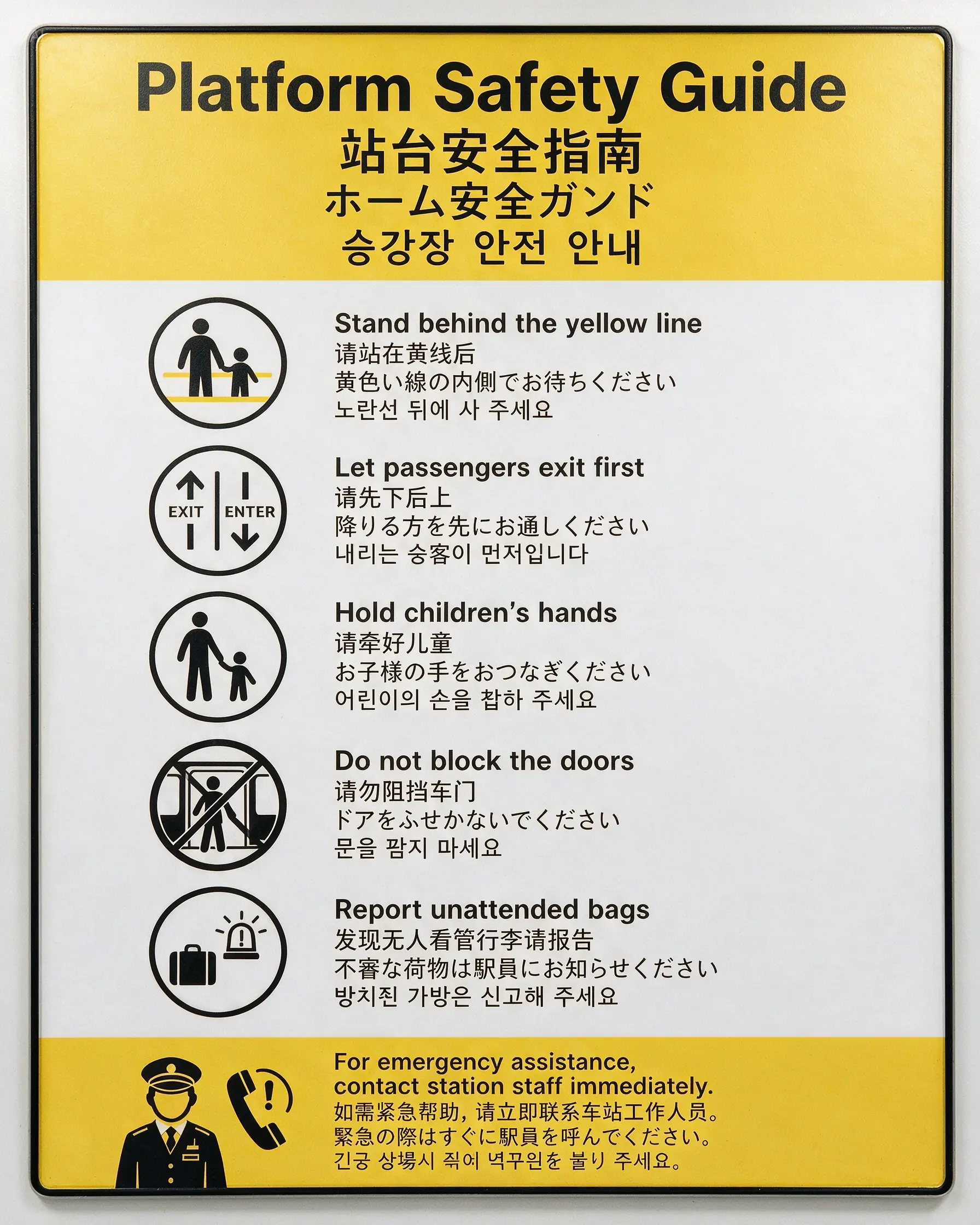
Official Seedream 5.0 Pro public safety poster with four languages

Multilingual image text

Direct the language, placement and reading order of text inside a poster. This safety notice arranges English, Chinese, Japanese and Korean around a consistent transit-sign system, making the example relevant to localized campaigns and public information.

Create with Seedream 5.0 Pro
Official Seedream 5.0 Pro realistic photograph of a father styling his daughter’s hair

Photographic light and skin texture

Describe a candid moment, the direction of window light and the physical surfaces in the room. The father and daughter example is valuable because it depends on natural posture, textured hair, skin detail and soft reflected light rather than spectacle.

Create with Seedream 5.0 Pro
Official Seedream 5.0 Pro SaaS landing page created from a sketched layout

Layout-aware creative production

Ask for a complete campaign or interface composition with a headline, navigation, product hierarchy and call to action. The official SaaS hero example follows the structure of a hand-drawn wireframe while resolving it as a finished visual direction.

Create with Seedream 5.0 Pro

Use a reference to direct the whole scene

Reference-image generation is useful when the current composition already contains the right camera position or subject arrangement. Upload that image, then state what must stay fixed and what is allowed to change.

Official Seedream 5.0 Pro street reference with colored edit annotations
Annotated reference
Official Seedream 5.0 Pro result showing the street transformed into a rainy-night car chase
Directed result

Keep the European street layout and camera position. Rebuild the daytime scene as a cinematic rainy-night car chase. Make the circled black sedan the main vehicle, add wet reflections and consistent night lighting, and remove every annotation from the final image.

Where Seedream 5.0 Pro fits real creative work

Choose it when the image has to carry information, language or a recognizable visual system in addition to looking polished.

Official Seedream 5.0 Pro Spanish Día de los Muertos infographic poster

Localized campaign posters

Create market-specific key art with native-language prompts and in-image copy. Give the model the required words, the cultural subject, the hierarchy and the format instead of asking for a generic themed poster.

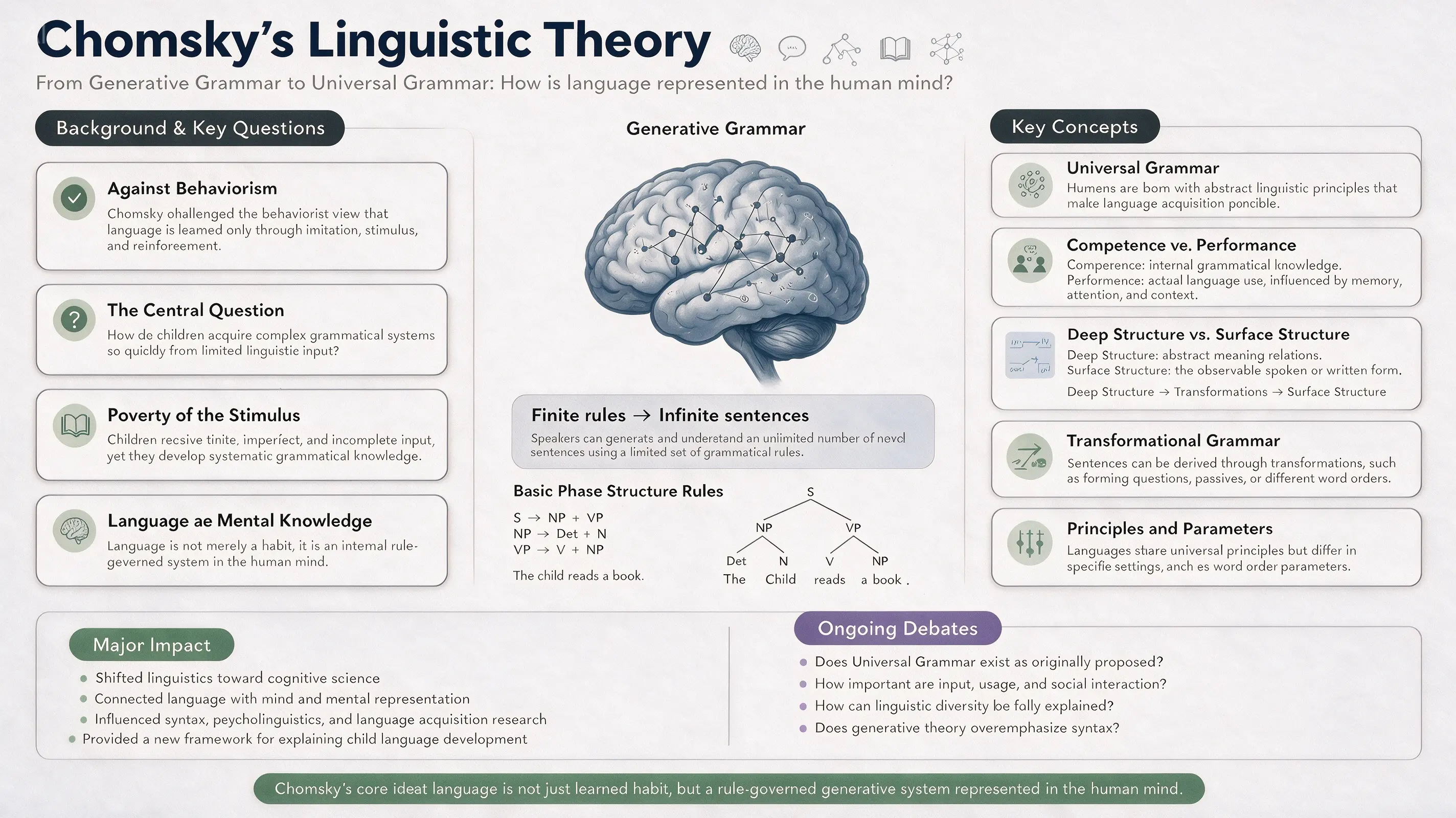
Official Seedream 5.0 Pro linguistics infographic about Chomsky’s theory

Educational and professional explainers

Organize concepts into labeled modules, diagrams and supporting illustrations for training material, presentations or editorial explainers. Treat the prompt as a content outline plus an art-direction brief.

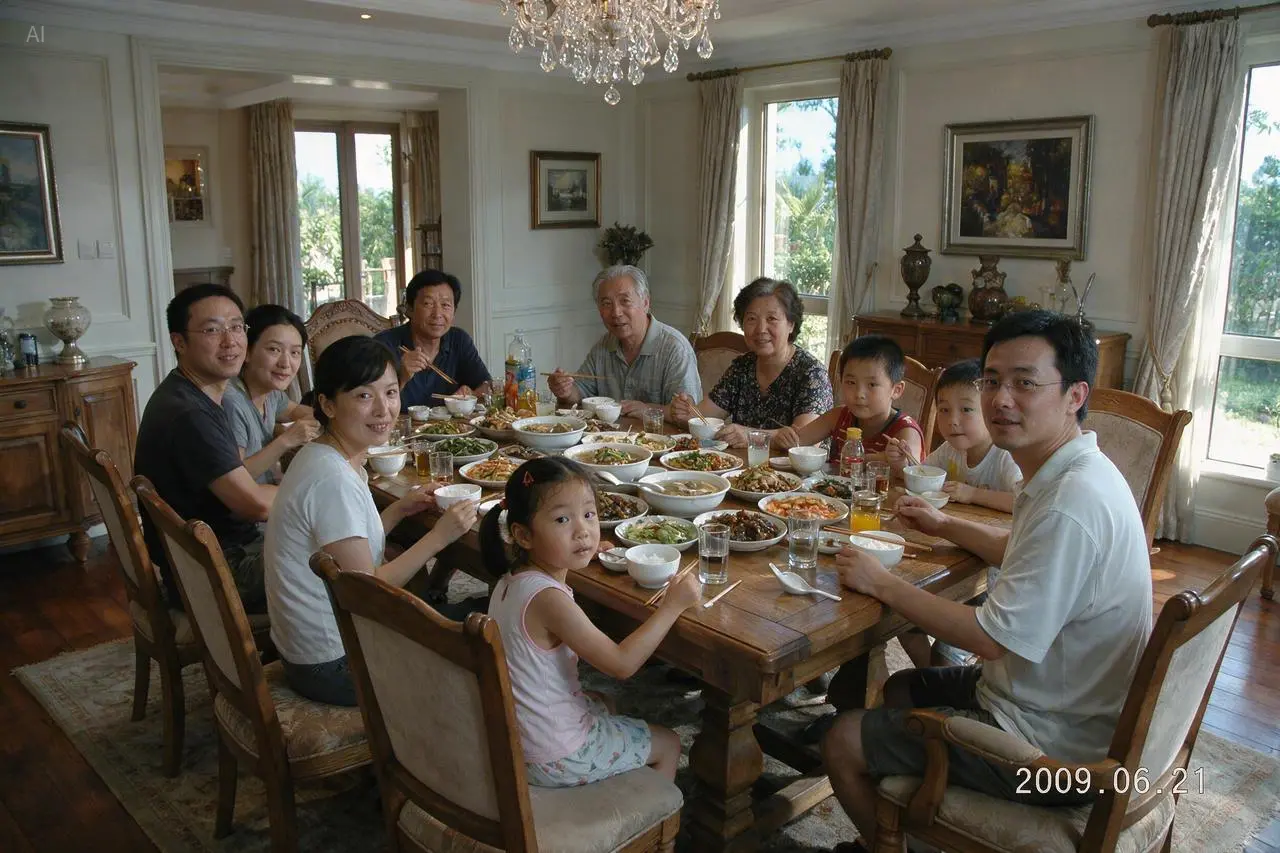
Official Seedream 5.0 Pro family dinner photograph with eleven people

Believable people and environments

Develop documentary-style family scenes, food photography or location concepts where the credibility of light, materials and human detail matters more than a heavily stylized effect.

Write a Seedream prompt like a visual brief

The model has more to work with when the prompt explains both the content and the system that organizes it. A useful brief identifies the deliverable, audience, hierarchy, visual language and constraints.

Prompt structure

Deliverable and aspect ratio + audience and purpose + required subjects or information + composition and hierarchy + typography or language + lighting, materials and visual finish + details that must remain unchanged.

Example for an information-rich poster

Create a vertical 4:5 museum poster explaining how a lunar eclipse works for visitors aged 10 to 14. Use one large central diagram of the Sun, Earth and Moon, three smaller phase illustrations, short English labels and a clear reading order from top to bottom. Deep navy background, warm white type, restrained red accents, crisp vector-like astronomy graphics, generous spacing and no decorative text outside the supplied labels.

01

Supply exact text

Place required headlines, labels and translations in quotation marks. Keep the first attempt concise enough to proofread, then correct wording with a focused follow-up edit.

02

Name the hierarchy

State what should dominate, what supports it and how the viewer should move through the image. For infographics, describe modules, connections, labels and the intended reading order.

03

Separate constants from changes

For a reference-based edit, list the composition, identity, logo or geometry that must remain stable before describing the new environment, material, lighting or message.

Generate with Seedream 5.0 Pro in three steps

The same workspace supports text-to-image creation and reference-guided generation. Start with the smallest amount of evidence that can define the result.

01

Write the brief

Describe the deliverable, subject, composition, text, audience and visual finish. If the image carries information, include the content hierarchy instead of only naming a style.

02

Add references and choose output

Upload up to five references when identity, product shape, layout or scene geometry matters. Select the ratio first, then use 1K for exploration or 2K for detailed output.

03

Generate, inspect and refine

Check spelling, small objects, anatomy and the relationship between labels and graphics. Make the next prompt specific to the weakest area rather than rewriting the entire direction.

Current Seedream controls and credit cost

The table reflects the controls currently exposed by ReelCine. ByteDance’s broader demonstrations may include workflows that are not part of this interface.

ControlAvailable valueWhen to use it
Resolution1K, 2KChoose 1K for composition tests and 2K for denser text, detail or final creative work.
Aspect ratio1:1, 2:3, 3:2, 3:4, 4:3, 9:16, 16:9Match the destination before generation so the model composes for the real poster, feed or screen.
Reference inputOptional, up to 5 imagesUse references for subjects, products, layouts, materials or scenes that the output needs to recognize.
Credits4 at 1K, 7 at 2KThe generator shows the current total before submission, and failed generations are refunded.

Choose Seedream when structure matters most

No image model is the best choice for every brief. Use the model switcher to compare important prompts, especially before producing a full campaign set.

DecisionSeedream 5.0 ProConsider another model
Dense layouts and diagramsA strong fit for information hierarchy, labeled modules, diagrams and text-rich compositions.Compare GPT Image 2 when the same brief also depends on a transparent background or its quality controls.
Localized visual copyDesigned for multilingual prompting and in-image text across widely used languages.Run a side-by-side test when exact spelling is legally or commercially sensitive; every generated image still needs proofreading.
Reference-guided changesUseful for preserving a composition while redirecting setting, lighting, material or message with written instructions.Nano Banana models are worth comparing when fast iteration or a different interpretation of several references is the priority.
Maximum output sizeThe current ReelCine integration offers 1K and 2K output.Choose a model with 4K support when native output size is more important than Seedream’s layout strengths.

What to inspect before you publish

Generated design work still needs a human review. ByteDance also notes room for improvement in fine-grained text rendering and pixel-level editing consistency.

  • Proofread every headline, label, number and translation. A convincing layout can still contain a small spelling or factual error.
  • Zoom into hands, faces, repeated objects, thin lines and small icons. Dense scenes can hide local inconsistencies that are not visible in a thumbnail.
  • The ReelCine workflow accepts prompts and reference images, but it does not currently expose ByteDance’s point-selection, lasso or layer-separation interfaces.
  • Use generated people, brands and cultural material responsibly. Confirm that you have the rights and approvals needed for the intended publication.

Seedream 5.0 Pro questions

What is Seedream 5.0 Pro?

Seedream 5.0 Pro is ByteDance Seed’s multimodal image creation model for prompt-led generation and reference-guided image work. Its official launch emphasizes complex information visualization, precise editing, photographic quality and multilingual generation.

Can I use Seedream 5.0 Pro for text-to-image generation?

Yes. Leave the reference area empty, write a complete visual brief, select an aspect ratio and choose 1K or 2K output. The generator on this page opens with Seedream 5.0 Pro selected.

Can I edit an image with Seedream 5.0 Pro?

Yes. Upload one or more reference images and describe what should remain fixed and what should change. ReelCine currently supports prompt-based reference editing, not ByteDance’s separate point-selection, lasso or editable-layer tools.

How many reference images can I upload?

The ReelCine image generator accepts up to five reference images. Assign each image a clear role in the prompt, such as subject, product, background, composition or visual style.

What resolution does Seedream 5.0 Pro support here?

The current integration offers 1K and 2K output. A 1K generation costs 4 credits and a 2K generation costs 7 credits. The total is shown in the generator before you submit.

Is Seedream 5.0 Pro good for infographics and text?

It is a strong candidate for structured, text-rich visuals. The official examples include technical drawings, educational explainers and multilingual posters. Always proofread generated words, numbers and labels before publication.

Does this page support Seedream layer separation?

No. ByteDance demonstrates layer separation as a broader Seedream 5.0 Pro capability, but the ReelCine generator on this page does not currently expose that workflow. It generates one finished image per request.

Which aspect ratios can I generate?

You can choose 1:1, 2:3, 3:2, 3:4, 4:3, 9:16 or 16:9. Select the target format before generation so the composition is planned for the intended placement.

Should I choose Seedream 5.0 Pro, GPT Image 2 or Nano Banana?

Choose from the job. Seedream 5.0 Pro is a strong starting point for structured layouts, multilingual visual copy and directed reference edits. Compare GPT Image 2 for its output controls, or a Nano Banana model when speed and rapid variation matter more.

Sources and image credits

Capability descriptions are based on ByteDance Seed’s official model page and launch article. Every example image shown on this page comes from that official showcase and is stored locally for stable delivery. Integration details follow the current KIE API documentation.

Turn the next brief into a finished image

Start with a clear deliverable and hierarchy. Add references only when they carry information the prompt cannot define precisely, then compare the 1K draft with a 2K final generation.

Create with Seedream 5.0 Pro