OpenAI image generation model

GPT Image 2 AI Image Generator

Turn detailed creative briefs into production-ready visuals with GPT Image 2. Generate from text, guide the result with up to five references, choose three quality levels, and create transparent or high-resolution assets for real design work.

  • Text and reference-image workflows
  • 1K, 2K and 4K output
  • Failed generations are refunded
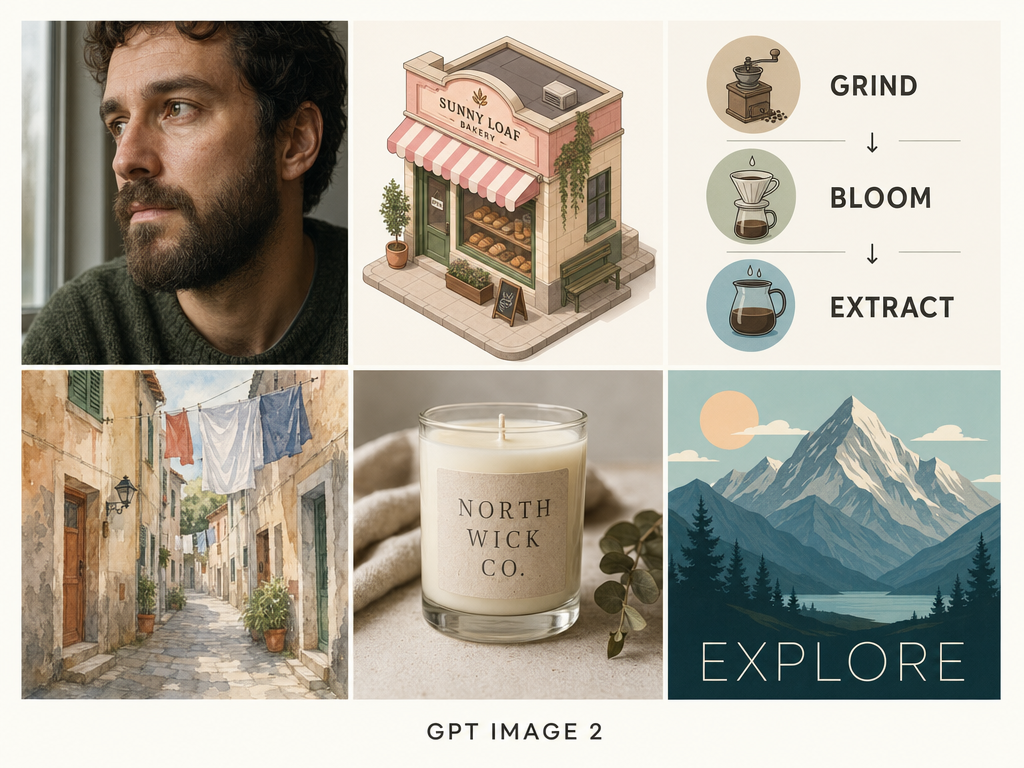
GPT Image 2 six-cell showcase with a portrait, bakery, coffee diagram, watercolor street, candle and travel poster

Create an image with GPT Image 2

Describe the deliverable, subject, layout, required text and finish. Add references when the result must preserve a recognizable visual detail, then choose the output settings that match its destination.

Loading the generator…

GPT Image 2 is selected automatically. You can still use the model switcher to compare the same brief with another image model.

Built for images you can actually use

GPT Image 2 is strongest when a visual brief contains several requirements that must work together: composition, readable text, style, object placement and a practical output format.

OpenAI presents GPT Image 2 as its state-of-the-art model for fast, high-quality image generation and editing. Its release emphasizes stronger instruction following, more dependable layouts, improved multilingual text and better preservation of requested details. That makes it a useful choice for work that sits between illustration and graphic design rather than for an unconstrained art prompt alone.

Learn More

In ReelCine, GPT Image 2 supports prompt-first generation and reference-guided creation in one workspace. The current controls offer seven common aspect ratios, 1K through 4K resolution, Standard through High quality and an optional transparent background. Up to five uploaded images can define the person, product, arrangement or style that the final asset should follow.

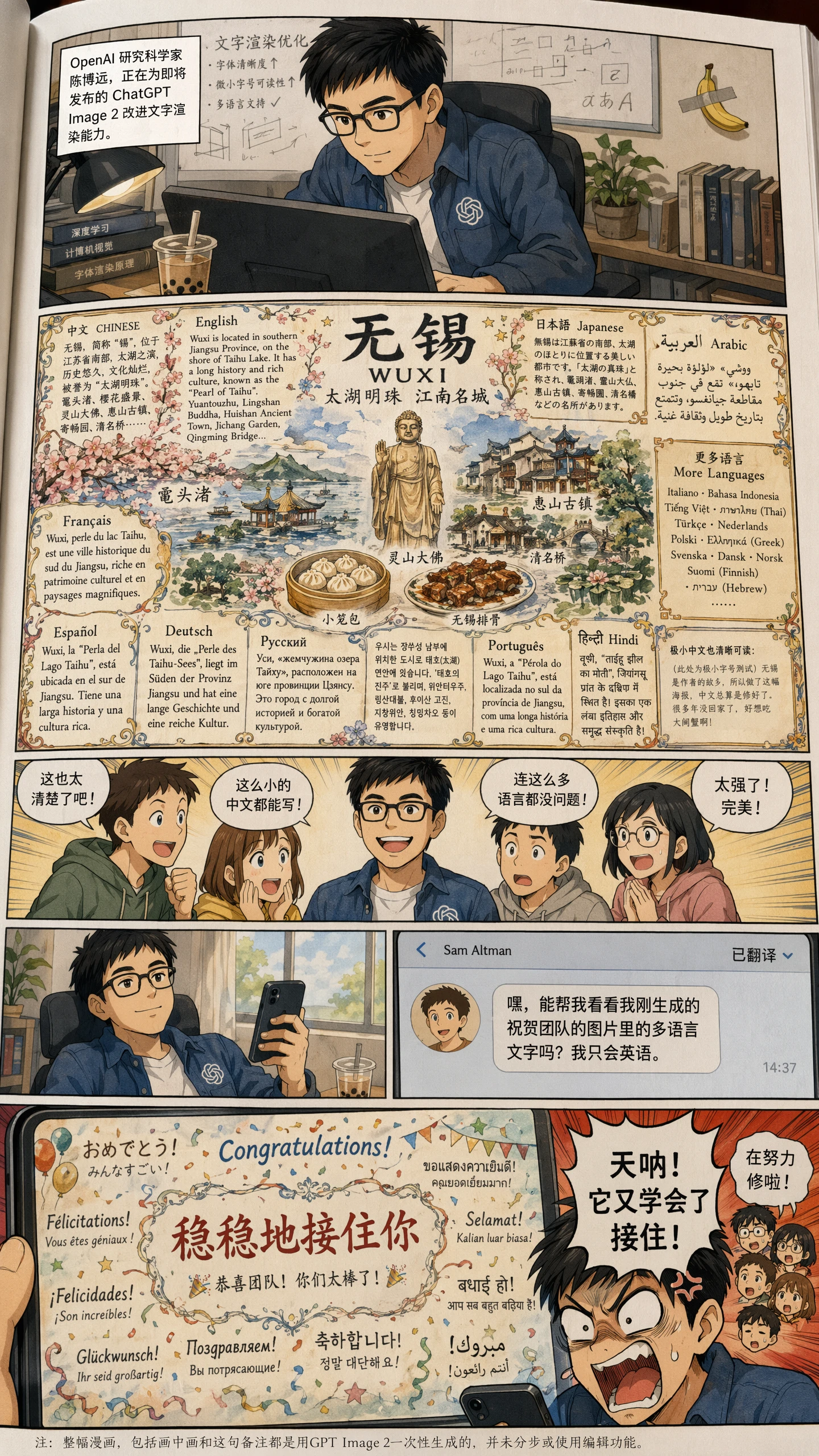
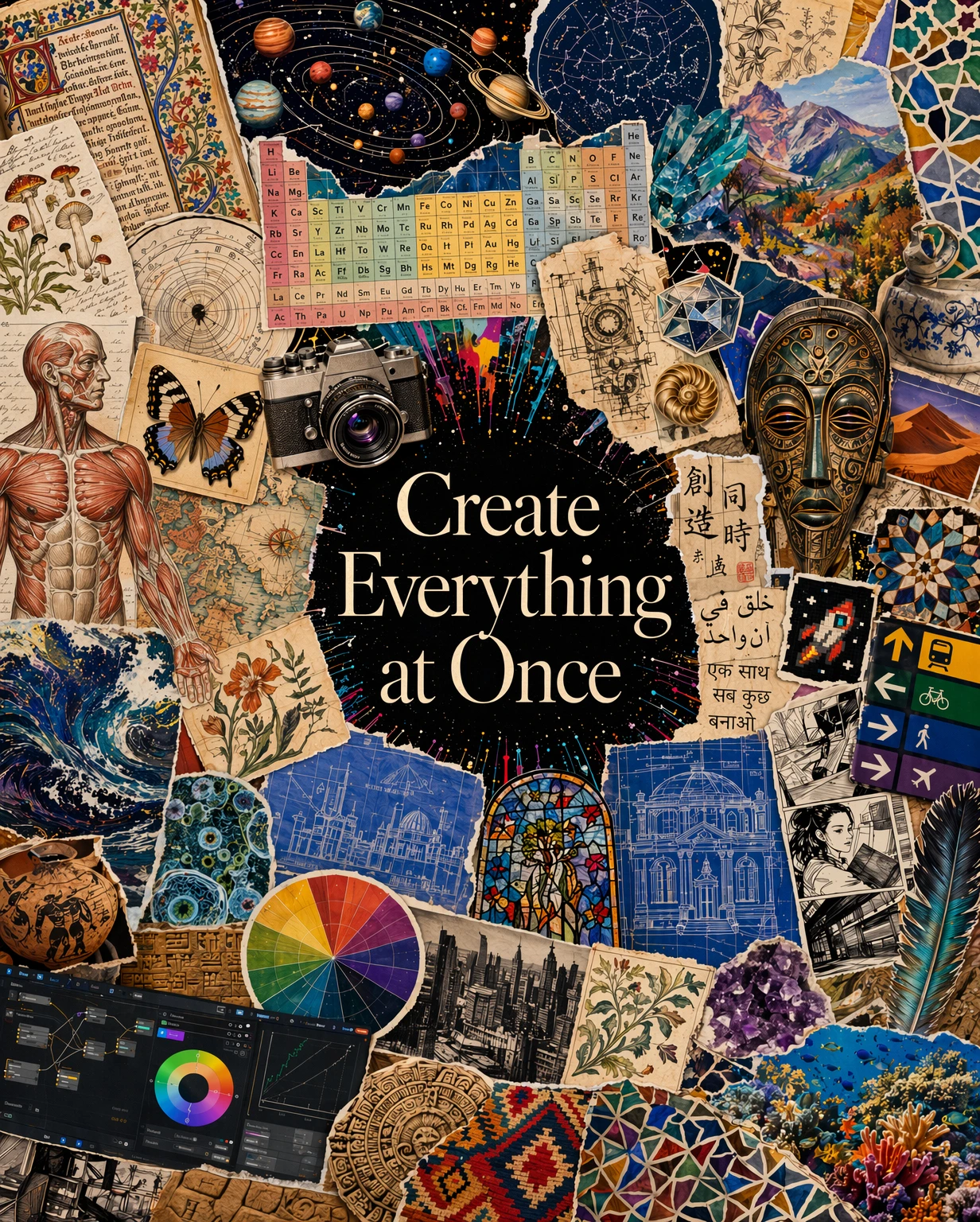
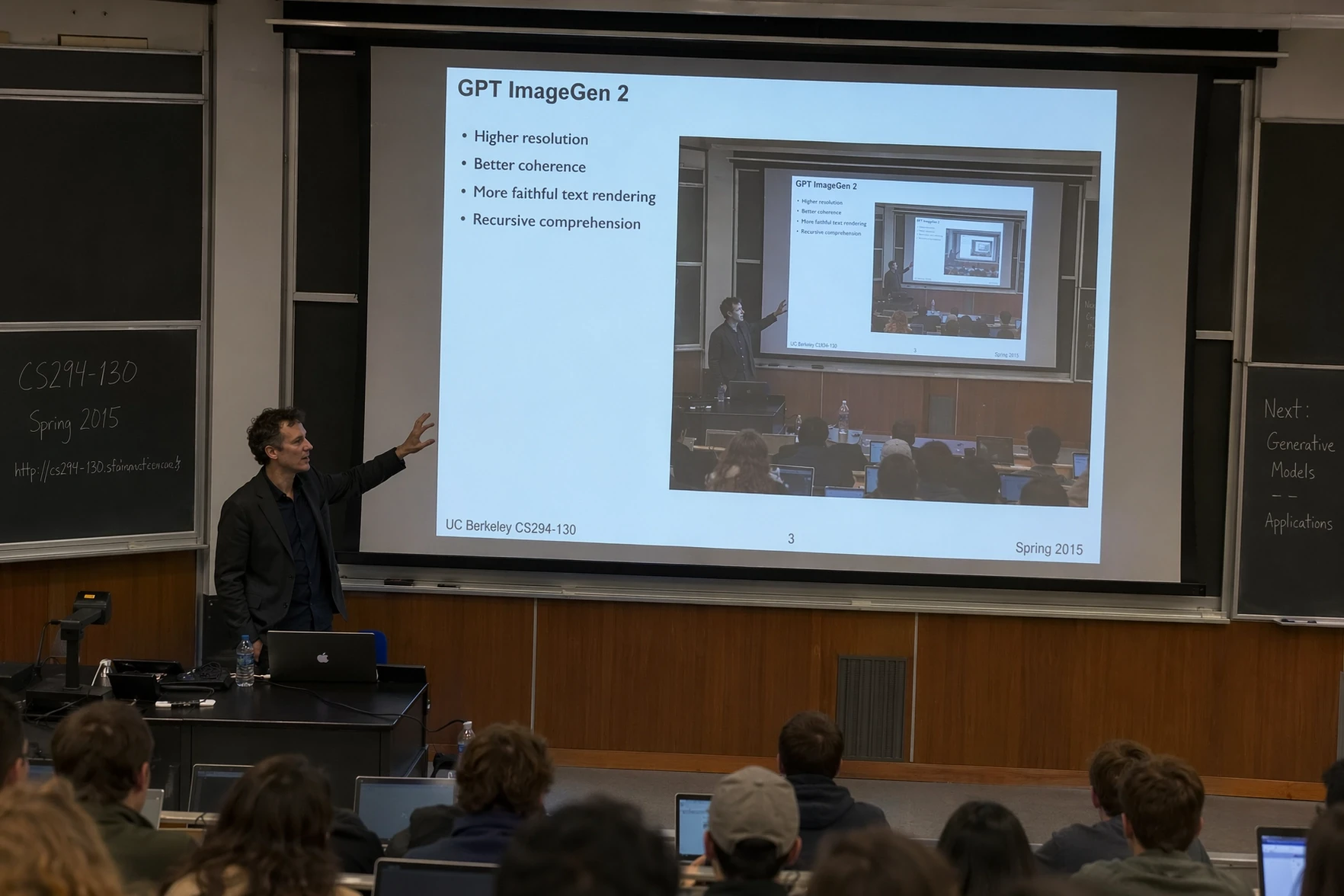
The examples on this page were chosen to show distinct jobs rather than repeat one aesthetic. The multilingual comic demonstrates dense in-image copy. The broad visual collage tests many object classes and design languages at once. The lecture-hall scene combines readable presentation content with nested visual logic. The edited jazz poster shows a practical text replacement while retaining the underlying composition.

The GPT Image 2 setup in ReelCine

These values describe the controls available in this generator, including the provider-backed resolution and quality choices currently offered by ReelCine.

Input
Prompt plus up to 5 images

Start from words alone or upload references for a subject, product, layout, palette or edit direction.

Resolution
1K, 2K or 4K

Explore quickly at 1K, then raise the resolution when the final asset needs more detail.

Quality
Standard, Medium or High

Quality and resolution both affect the credit total shown before you generate.

Background
Automatic or transparent

Request a transparent result for isolated products, icons and compositing-ready assets.

Four reasons to choose GPT Image 2 for production assets

Each capability below is paired with a published GPT Image 2 example that visibly supports the claim.

GPT Image 2 multilingual comic and travel graphic containing Chinese and other languages

Readable multilingual graphics

Create comics, explainers and localized campaign concepts where language is part of the composition. This published example combines Chinese dialogue, a multilingual destination panel and several levels of type without reducing the image to a simple text card.

Create with GPT Image 2
GPT Image 2 creative collage with science, art, architecture and multilingual typography

Complex compositions from one brief

Bring many categories, textures and visual references into a deliberate arrangement. The collage demonstrates scientific diagrams, artifacts, photography, illustration and typography while maintaining a coherent central hierarchy.

Create with GPT Image 2
GPT Image 2 lecture hall scene with a readable recursive presentation slide

Layout and small-detail control

Direct where information belongs and how visual relationships should read. The lecture-hall example contains a believable presentation slide, legible bullet points and a recursive image inside the projected screen.

Create with GPT Image 2
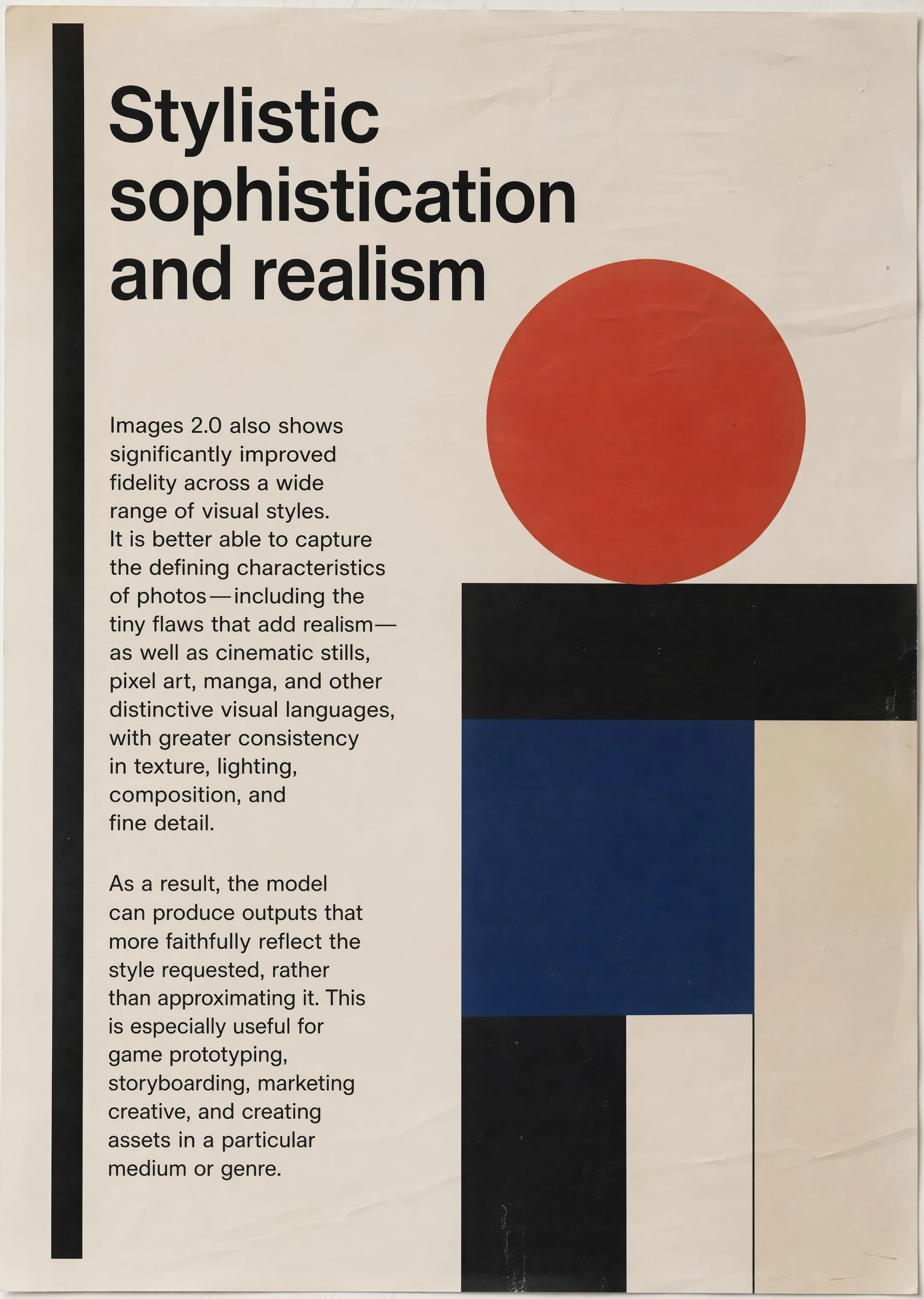
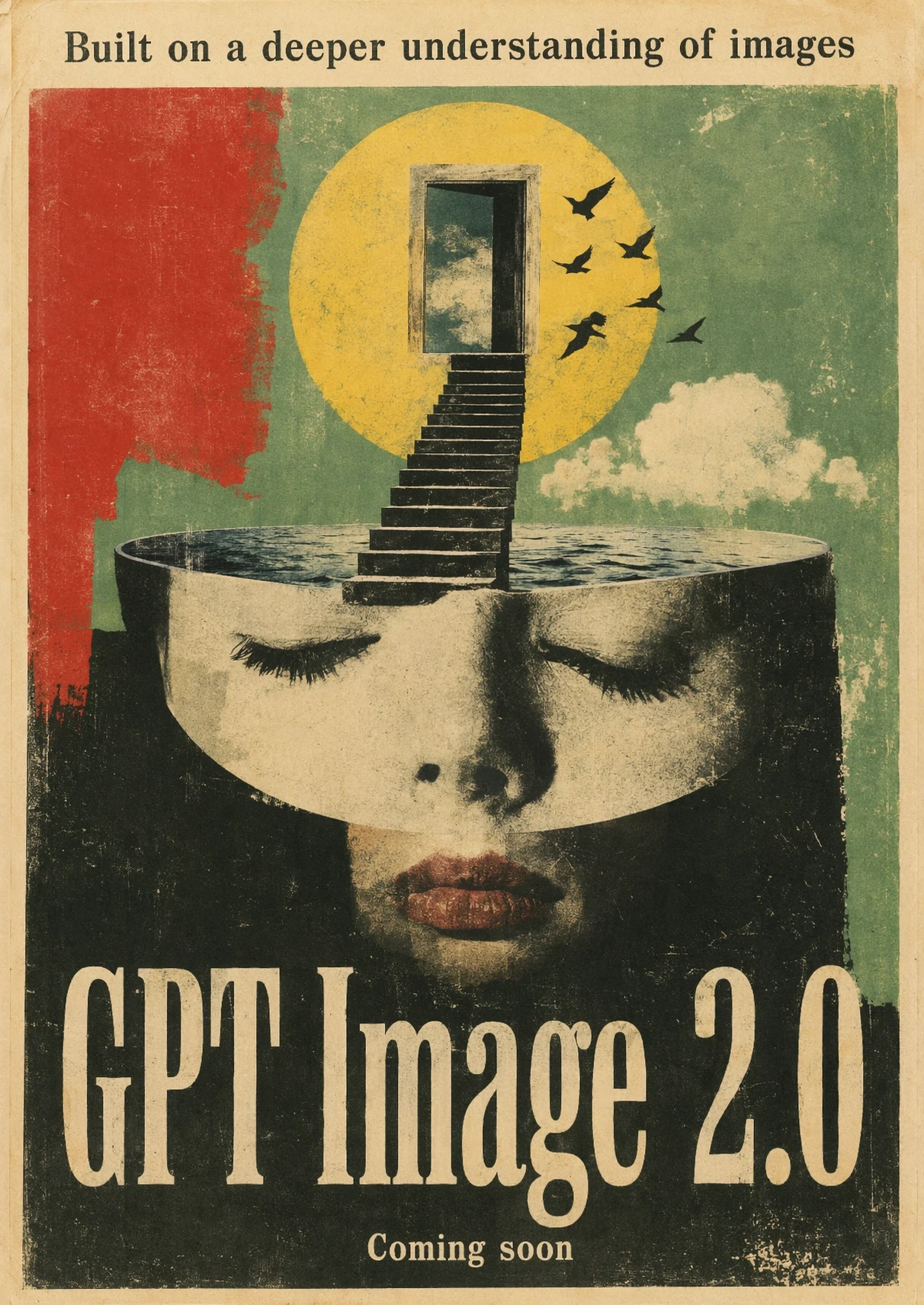
GPT Image 2 editorial artwork demonstrating print texture and consistent graphic styling

Consistent visual styles

Specify the physical medium, period, texture and finishing details instead of relying on a broad style adjective. OpenAI's release artwork demonstrates a cohesive printed-paper system with restrained geometry, convincing wear and controlled typography.

Create with GPT Image 2

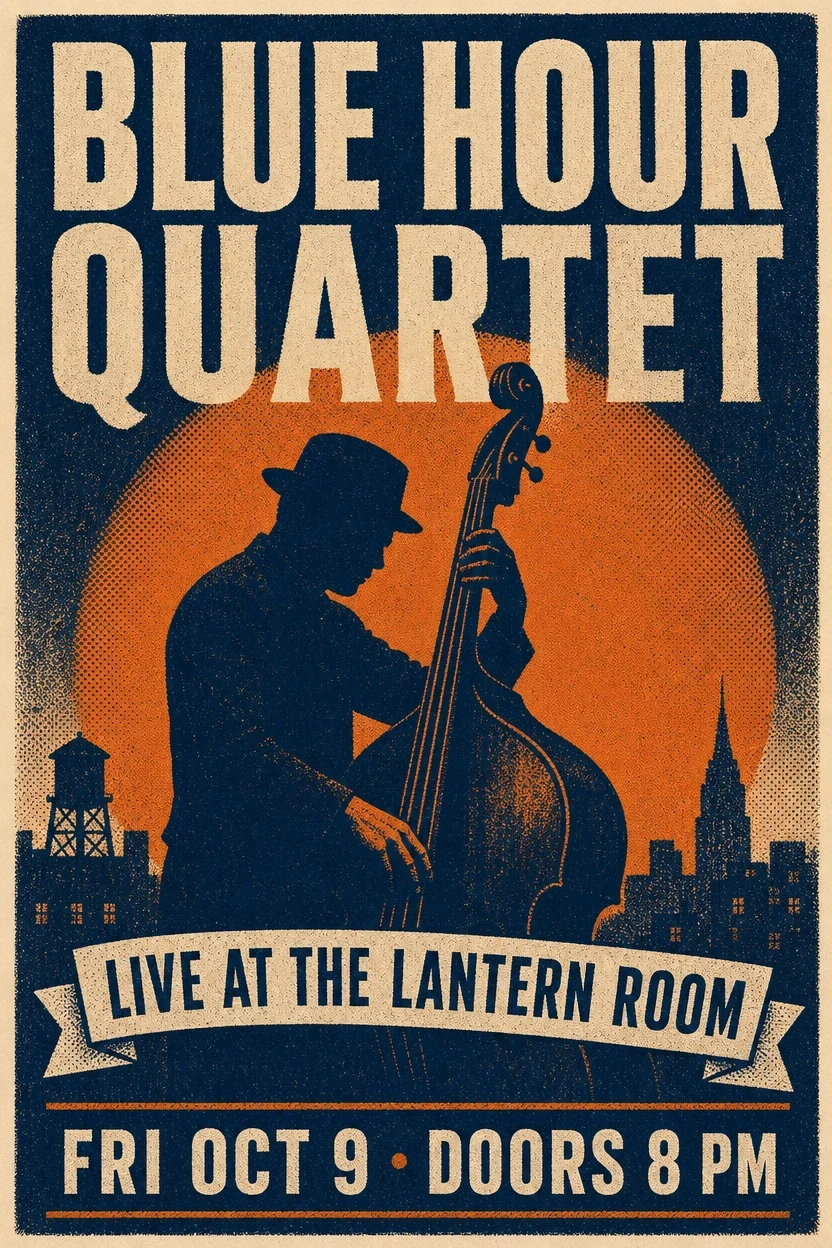
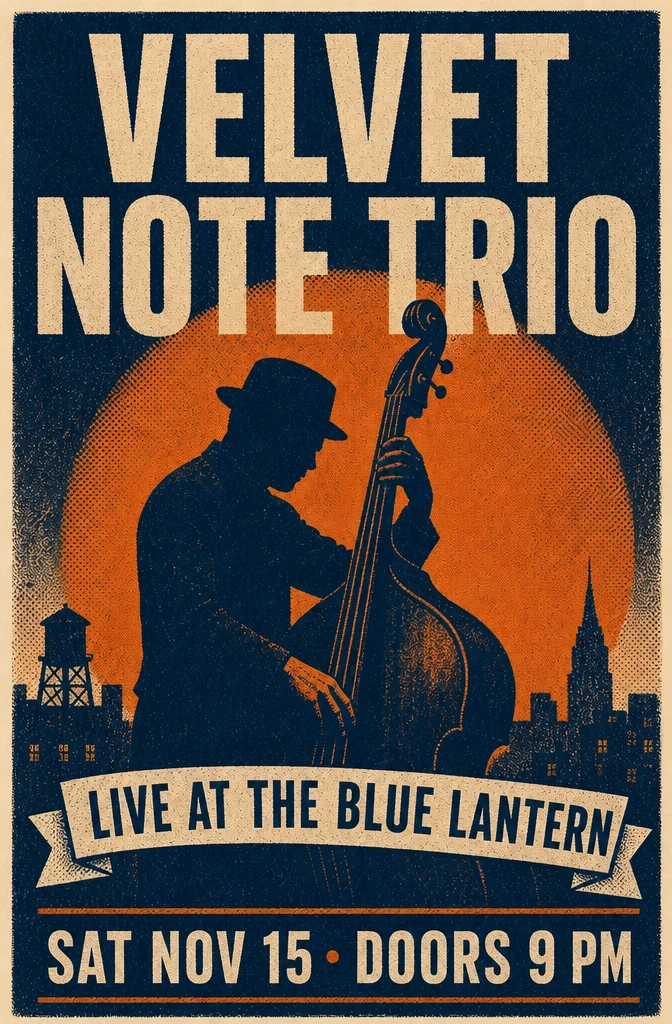
Change the message while preserving the design

Reference-guided editing is valuable when the current layout and illustration already work. Name the exact change first, then list the elements that must remain locked.

Original blue and orange jazz poster before GPT Image 2 text editing
Original poster
Edited jazz poster with new title, venue and date while preserving the illustration and style
Text-directed edit

Replace the title with "VELVET NOTE TRIO", change the venue to "THE BLUE LANTERN", and update the date to "SAT NOV 15 · DOORS 9 PM". Preserve the bassist illustration, orange circle, navy-and-cream palette, distressed print texture and overall layout.

Where GPT Image 2 earns its place in a creative workflow

Use it for briefs where visual quality matters, but so do words, structure, constraints and a usable output format.

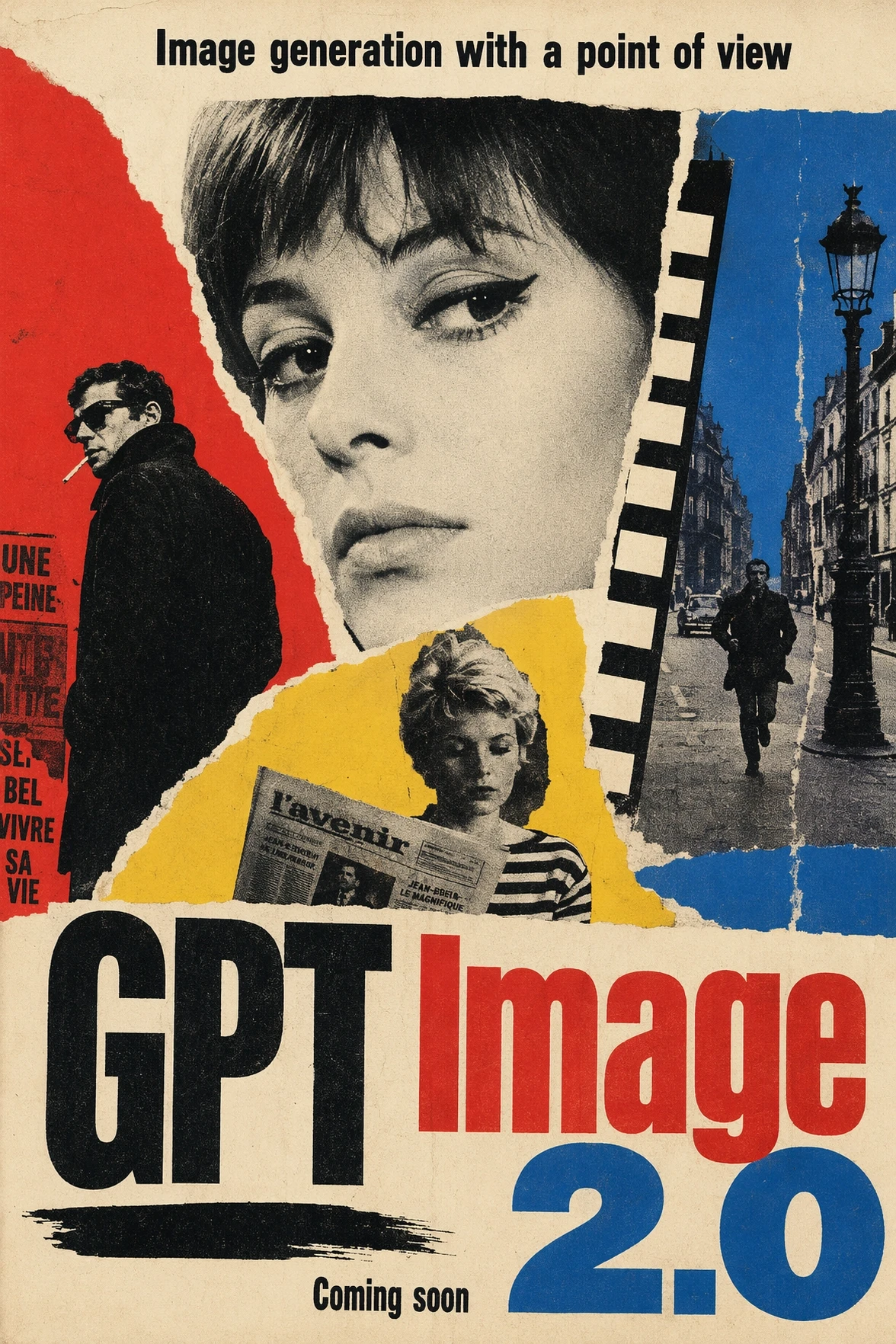
GPT Image 2 retro film poster with a strong typographic hierarchy

Posters and campaign concepts

Develop key art with a specific era, headline treatment, subject hierarchy and palette. Supply the exact copy and destination ratio, then proofread every word before publishing.

GPT Image 2 surreal editorial poster representing visual understanding

Editorial concepts and story worlds

Translate an abstract theme into a memorable visual metaphor for covers, articles, decks or story development. Define the visual medium as carefully as the idea itself.

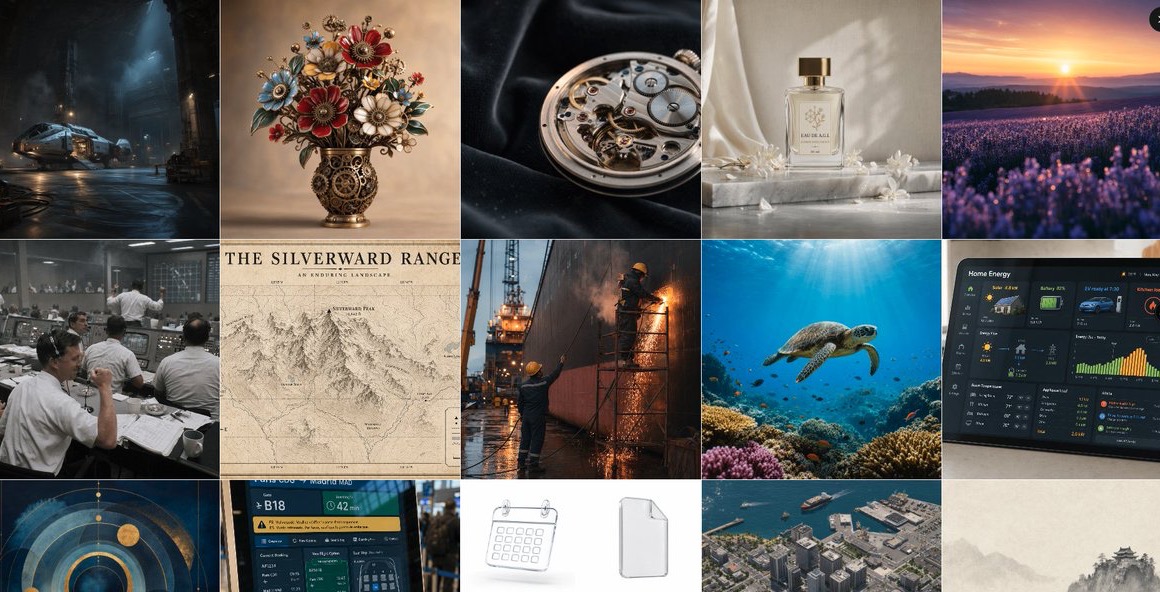
OpenAI Developers grid of GPT Image 2 product, interface, map and technical outputs

Product, interface and technical visuals

Prototype packaging, dashboards, diagrams and product photography in one model. Keep required labels short, specify the viewing angle, and describe what the asset will be used for.

Prompt GPT Image 2 with a structured brief

A useful prompt separates the scene, subject, important details, intended artifact and constraints. That order reduces ambiguity when several requirements compete for attention.

Prompt structure

Scene and context + primary subject + composition and camera + exact text + materials, lighting and style + output purpose + hard constraints and preserved details.

Example for a product launch graphic

Create a 4:5 launch poster for a refillable fragrance called "MORNING TIDE". Center one frosted-glass bottle on pale limestone, with a soft ocean-blue shadow and a small sprig of sea lavender. Place the exact headline "SCENT, WITHOUT THE WASTE" above the bottle and "Refill. Reuse. Return." below it. Premium editorial product photography, quiet natural light, generous negative space, no extra logos, no extra text, label facing the camera.

01

Write requirements, not praise

Replace words such as amazing or professional with visible facts: lens angle, layout, lighting direction, material, color relationship and the exact destination format.

02

Quote every required word

Put headlines, labels and button copy in quotation marks. Keep the first version concise, then use a focused edit for spelling or hierarchy instead of regenerating everything.

03

State what cannot move

For edits, identify the face, pose, product shape, logo position, camera angle or composition that must remain unchanged before describing the new element.

Generate with GPT Image 2 in three steps

Start with the real deliverable and its constraints, then raise quality only when the concept is already moving in the right direction.

01

Define the finished asset

Describe what you are making, who it is for, where it will appear and which visual or textual elements are mandatory.

02

Choose references and output controls

Add up to five references when identity or design continuity matters. Select the aspect ratio, resolution, quality and background before generating.

03

Inspect and refine

Check spelling, anatomy, small objects, alignment and brand details at full size. Refine the weakest element with a narrow follow-up instruction.

GPT Image 2 controls and credit ranges

The total changes with both resolution and quality. The generator calculates the exact amount before submission, so you can choose an economical draft or a high-detail final.

ControlAvailable valueWhen to use it
Resolution1K, 2K, 4KUse 1K for composition tests; move to 2K or 4K for final detail and larger placements.
QualityStandard, Medium, HighHigher tiers spend more credits. Reserve High for briefs where typography or fine texture justifies it.
Aspect ratio1:1, 2:3, 3:2, 3:4, 4:3, 9:16, 16:9Choose the real destination ratio before generation so the composition is built for that frame.
Transparent backgroundAutomatic or transparentUse transparency for isolated objects and downstream compositing; describe a clean silhouette and complete edges.
Credits2–80 creditsCosts range by resolution and quality; the live total is shown in the generator and failed jobs are refunded.

Choose GPT Image 2 when the brief has hard requirements

The most useful model is the one whose strengths match the bottleneck in your work. Compare important prompts before committing to a full asset set.

DecisionGPT Image 2Consider another model
Text-heavy visualsA strong choice for posters, interface concepts, comics and diagrams containing designed text.Compare Seedream 5.0 Pro for dense information graphics and Nano Banana Pro for Google-style knowledge-led explainers.
Transparent assetsThe current ReelCine integration includes an explicit transparent-background option.Choose another model when transparency is unnecessary and faster, lower-cost exploration is the main goal.
Quality controlThree quality tiers make it possible to separate economical drafts from premium final outputs.Nano Banana 2 uses simpler resolution-led pricing when you want fewer decisions and rapid iteration.
Reference workflowsUp to five references can guide subjects, products, compositions and controlled edits in this interface.Compare Nano Banana Pro when several people or visual ingredients must be reconciled in a complex scene.

What to check before publishing

A strong first result is still a generated raster image, not a finished editable design file. Review the details that carry legal, factual or brand risk.

  • Proofread all generated text, numbers, dates and multilingual copy; visual plausibility is not the same as factual accuracy.
  • Inspect hands, faces, repeated objects, reflections, logos and small interface controls at full resolution.
  • Transparent output may still need edge cleanup around hair, glass, smoke or soft shadows.
  • Generated layouts are flattened images, so move final copy into a design tool when exact typography and editable layers are required.
  • Use only reference images you have the right to upload, and complete a rights review before commercial publication.

GPT Image 2 questions

What is GPT Image 2?

GPT Image 2 is OpenAI's state-of-the-art image generation and editing model. It is designed for detailed instruction following, practical layouts, readable text, visual style control and high-quality image inputs.

Can I use GPT Image 2 for image editing?

Yes. Upload one or more references and describe both the requested change and the details that must remain stable. ReelCine currently accepts up to five reference images in this workflow.

Which resolutions are available?

The current ReelCine integration offers 1K, 2K and 4K. Use the lower setting for exploration and increase it when the final placement needs more native detail.

What do Standard, Medium and High quality change?

They let you trade credit cost against the effort allocated to the result. The exact total depends on quality and resolution, and is displayed before you generate.

Can GPT Image 2 make transparent images?

Yes. Choose the transparent background option and describe an isolated subject with clean, complete edges. Fine materials such as hair or glass may still need manual inspection.

Is generated text always accurate?

No image model guarantees perfect copy. GPT Image 2 is built for stronger text rendering, but names, dates, prices, translations and legally important wording still require proofreading.

How many reference images can I upload?

This generator currently accepts up to five references. Assign each image a clear role in the prompt so the model knows which one defines identity, product shape, composition or style.

How many credits does GPT Image 2 use?

The current range is 2 to 80 credits per image, depending on resolution and quality. The generator shows the exact cost before submission, and failed generations are refunded.

When should I choose GPT Image 2 over Nano Banana Pro?

Choose GPT Image 2 when transparent output, explicit quality tiers, text-heavy assets or strict multi-part instructions are central. Compare Nano Banana Pro when high-fidelity multi-reference composition and knowledge-led visuals are the priority.

Sources and example provenance

Technical claims come from OpenAI's current product and API documentation. Published examples are credited to their source pages; the editing pair is a documented GPT Image 2 result from RenderFlow.

Turn the next brief into a usable image

Start with Standard quality for the composition, then refine the prompt and raise the output settings when the direction is ready.

Create with GPT Image 2